BTCPay Server Review: Fees, Features & Setup Guide

Updated: November 2025

Quick verdict

positive icon Best for: Merchants who want a sovereign checkout stack with no processor fees.

neutral icon Consider if: You already run a node or want to consolidate Lightning, on-chain, and fiat settlement in one dashboard.

negative icon Not ideal when: You prefer a hosted PSP that abstracts server maintenance and upgrades.

Getting started

Go live with Bitcoin payments in 4 steps:

1. Deploy your server

1. Deploy your server

Setup time: ~30–60 minCost: $10–$30/mo hostingRisk: Medium

Initial sync: Depends on your Bitcoin node backend

  1. Pick a deployment path from Docker, managed host, or hardware builds and provision the VM or device.
  2. Run the configurator, point DNS at your server, and confirm HTTPS is working before exposing the dashboard.
  3. Create the first account yourself - the docs note it becomes the admin - and store the credentials in a password manager.

Gotcha: The first registered user gains admin rights, so finish setup before inviting teammates.

2. Connect your store or POS

2. Connect your store or POS

Setup time: ~15–30 minCost: FreeRisk: Low
  1. Create your first store, choose the default currency, and name the point of sale profile.
  2. Install plugins such as WooCommerce, Shopify bridge, or the built-in Point of Sale app to link your checkout surface.
  3. Enable Server Settings → Policies if you need to allow staff accounts on the instance.

Gotcha: Stores stay inactive until at least one payment method is configured, so finish the wallet hookup next.

3. Configure Bitcoin settlement

3. Configure Bitcoin settlement

Setup time: ~10–20 minCost: Mining fee for wallet linkRisk: Medium
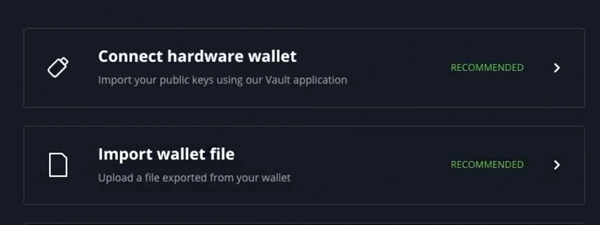
  1. Visit Wallet Setup and either connect an existing hardware wallet via BTCPay Vault or generate a new hot wallet for testing.
  2. Assign Lightning by pointing BTCPay to LND, Core Lightning, or Eclair depending on your routing needs.
  3. Set payout preferences so invoices settle straight to keys you control.

Gotcha: Never paste hardware wallet seeds on the server - use BTCPay Vault or PSBT workflows instead.

4. Test and monitor invoices

4. Test and monitor invoices

Setup time: ~5 minCost: Test payment onlyRisk: Low
  1. Create a small invoice and pay it from your phone to confirm invoice status flows from Pending to Settled.
  2. Exercise both Lightning and on-chain paths so you can document refund flows for customers.
  3. Add a webhook or Zapier action so your store marks orders paid automatically.

Gotcha: Leave the invoice screen open until payment settles - closing the tab too soon can hide status updates.

Quick answers

Can I deploy without Docker?

Yes. Manual installs exist, but the docs recommend Docker or a managed host for production uptime.

How many stores can I attach?

An instance can host unlimited stores and even process payments for others, so long as your hardware meets the load.

Fees: what you pay and when

Costs & speed: what you pay and when

Host the stack

$10–$70/mo depending on VPS size

What happens:
You run the software on your own virtual private server (VPS). That means you pay a flat monthly hosting fee for the hardware, regardless of how many payments you process.

Optimization:
Start on a $10 LunaNode or DigitalOcean droplet and scale up only when invoice volume spikes.

Learn more

The deployment matrix lists LunaNode, Voltage, and other hosts with their expected monthly bills.

Open Lightning channels

≈1% of the receive amount + on-chain mining fee

What happens:
To receive Lightning payments, your node needs inbound capacity. That means you pay standard mining fees to open channels initially, but subsequent payments are nearly free.

Optimization:
Batch liquidity top-ups during low-fee windows or use third-party LSPs that quote capped fees.

Learn more

Lightning support covers LND, Core Lightning, and Eclair so you can pick the tool with the fee policy you prefer.

Settle on-chain

Mining fee you select for each payout

What happens:
Every on-chain payment goes straight to your wallet. That means the only cost is the mining fee you choose to attach when you move the funds later.

Optimization:
Consolidate payouts during quiet mempool periods or route small refunds over Lightning instead.

Learn more

BTCPay charges no spread - the only cost is the network fee you attach to the transaction.

Quick answers

Does BTCPay charge processing fees?

No. The docs emphasize that there are zero platform fees - only the Bitcoin or Lightning network costs you choose.

What do managed BTCPay hosts bill for?

Managed providers bill you for compute, storage, and support while you still hold the keys and collect 100% of every payment.

Key terms
Store
A merchant profile within BTCPay that holds branding, pricing, and payment method settings for a specific business.
NBXplorer
The indexing service BTCPay uses to monitor addresses and derive invoices from your connected wallet.
Third-party host
A company that runs BTCPay Server for you while leaving key custody and settlement under your control.
Custody, compliance & risk

Custody, compliance & risk

Custody

BTC Pay generates new addresses from your wallet's public key for every order. That means funds go straight to your cold storage without ever touching a company's ledger. You verify the receipt on your own node, so you never have to trust a dashboard.

  • Payments settle to your wallet
  • No middleman ledger
  • Uncensorable funds

Data Privacy

You host the database, so customer names and order details never leave your server. That means no third party can mine your sales data or track your customers. You can wipe the logs whenever you want.

  • Self-hosted data
  • Tor support
  • Retention control

Jurisdiction & Availability

BTCPay is open-source code, not a company, so it exists everywhere the internet does. Your 'jurisdiction' is simply where you put the server—your home, a VPS in Switzerland, or a cloud in New York. You choose the legal environment that fits your business by selecting the physical location of your hardware.

  • Global availability
  • Server location = Jurisdiction
  • Portability

Compliance

Because you are the payment processor, there is no onboarding department to demand a passport or business license. You can accept payments instantly from anywhere in the world without waiting for approval. You decide which compliance tools (like travel rule reports) to enable based on your local laws.

  • No KYC/ID required
  • Instant approval
  • Optional reporting tools

Operational Risk

Sovereignty means the buck stops with you. There is no support desk to reverse a transaction or reset a lost seed phrase. You must secure your backups (wallet seeds + channel states) and admin credentials like a bank vault, because in this model, you are the bank.

  • No password resets
  • You manage backups
  • Staff access controls

Quick answers

Can BTCPay see my customers' private data?

Only the data you store on your server is available, so limit invoice metadata to what you truly need.

Is Tor supported?

Yes. Deployment guides cover Tor exposure so you can reach the dashboard without opening ports on clearnet.

Hardware BOM

Deployment Options

BTC Pay runs on the hardware you provide. That means you can choose a low-cost cloud server for convenience or a physical device at home for maximum privacy.

One-click host

$0 setup

Fastest path with managed updates.

Trade-off: You get a setup in minutes → You give up control over server updates and uptime. (Your funds remain safe in your wallet).
Monthly Cost $10–$30
Sync Time Provider handles Hosted plans ship BTCPay + Bitcoin Core pre-imaged.
Storage Shared SSD quotas (20–80 GB) unless you add block storage.
Noise / Size None - cloud service.
Gotcha: Hosts cannot access your wallet, but they control when the VM reboots, so keep offsite backups too.
Docker stackManaged SSL
View parts list
  • BTCPay third-party host subscription
  • Domain or subdomain pointing to the host
  • Wallet endpoint (hardware wallet, Specter, or Sparrow)

DIY VPS

$10–$70

Full control on cloud infrastructure.

Trade-off: You get full root access and scalability → You give up the convenience of managed updates and must handle maintenance yourself.
Monthly Cost $10–$70
Sync Time ~1 day for a fresh node (faster with FastSync) Deploy btcpayserver-docker on 2 vCPU / 4 GB RAM or better.
Storage At least 500 GB SSD for full Bitcoin + NBXplorer.
Noise / Size Data center only.
Gotcha: OpenVZ VPS hosts are unsupported, so confirm the hypervisor before you commit.
Self-hostedLightning ready
View parts list
  • Ubuntu 22.04 LTS VPS
  • Docker + docker compose
  • Monitoring stack (Prometheus, Uptime Kuma, etc.)

On-prem appliance

$300–$800

Host BTCPay beside your point of sale.

Trade-off: You get physical control of your data → You give up cloud reliability and must manage power and backups yourself.
Monthly Cost ~$3–$8 electricity
Sync Time 2–6 days depending on CPU and SSD Requires wired Ethernet and reliable UPS.
Storage 1–2 TB NVMe or SATA SSD to house blockchain plus logs.
Noise / Size Depends on chassis; fanless builds keep it silent.
Gotcha: Manual deployments demand Linux expertise; not recommended for your first production setup per docs.
Self-sovereignOffline capable
View parts list
  • Raspberry Pi 4/5 or Intel NUC
  • 1–2 TB SSD
  • UPS and surge protection

Quick answers

Do third-party hosts control my funds?

No. BTCPay is non-custodial even on hosted plans - payments still settle into wallets you control.

Can one instance power multiple stores?

Yes. The docs highlight that you can attach unlimited stores and even process payments for others.

Integrations

Integrations

Once invoices are live, you can wire BTCPay into storefronts, payment buttons, and accounting tools.

Ecommerce plugins

WooCommerce, Shopify bridge, Magento

Use the official plugins to route cart checkouts through your BTCPay instance without sharing API keys with a processor.

  1. Install the plugin (WooCommerce, Shopify bridge, Magento) and paste your store's API key.
  2. Set callback URLs so BTCPay can mark orders paid when invoices settle.
  3. Sync price sources by matching fiat currencies in BTCPay and your storefront.
See compatible apps
WooCommerceShopifyMagento

Privacy: Checkout data stays between your store and your server - no third-party PSP sees it.

Point of Sale app

Native

Turn any tablet into a Bitcoin register with custom item catalogs and instant invoice generation.

  1. Enable the POS app under Apps and assign it to your store.
  2. Customize product buttons, tips, and receipt messaging.
  3. Pin the POS URL to a kiosk or share the QR code for remote use.
POS URL
https://your-domain.com/apps/pos/{appId}
See compatible apps
BTCPay POS

Privacy: Invoices come from your domain, so customers never leave your environment.

Payment Requests & Pull Payments

Native

Schedule recurring invoices or automated payouts without spreadsheets.

  1. Create a Payment Request for a client, set the recurrence, and let BTCPay email them the invoice link.
  2. Use Pull Payments to invite contractors to withdraw against a capped budget.
  3. Export payout history for accounting from the Reporting section.
See compatible apps
Payment RequestsPull Payments

Privacy: Only the recipients you invite can see their payout link.

BTCPay merchant stack coverage

BTCPay merchant stack coverage

Self-hosted invoices

Works

Unlimited stores BitPay API compatible

When you host the invoices, the payment logic lives on your server, not a third party's. That means funds settle directly to your wallet, and you can switch from legacy processors like BitPay without rewriting your checkout code.

Show steps

Gotcha: If you delete a store, its API keys and invoice history vanish - export data before cleaning up.

Merchant apps & POS

Works

Point of Sale Crowdfunding

BTC Pay includes apps for Point of Sale, Crowdfunding, and recurring billing built right in. That means you can run your entire storefront from one dashboard without paying for multiple subscriptions.

Show steps

Gotcha: Apps share the same server resources, so keep an eye on RAM and SSD usage if you enable many at once.

Multiple Lightning daemons

Works

LND / CLN / Eclair Tor ready

You connect your own Lightning node directly to the payment server. That means you control your channel management and liquidity strategy instead of relying on a custodial wrapper.

Show steps

Gotcha: BTCPay does not manage your Lightning backups - export channel states from the node itself.

Move your BTCPay Server wallet or funds

Move your BTCPay Server wallet or funds

Third-party host → self-hosted VPS

Time: ~2–4 hoursCost: New VPSRisk: Medium

Choose: Use this when you outgrow a managed plan and want root access.

Show steps
  1. Export backups plus wallet connection data from the managed host.
  2. Deploy btcpayserver-docker on your VPS and import the archive.
  3. Update DNS records and SSL certificates, then point plugins at the new URL.

Tips: Plan a maintenance window so invoices are paused while DNS propagates.

Gotcha: Remember to move BTCPay Vault connections to the new domain or hardware signatures will fail.

Clone a store to another instance

Time: ~1 hourCost: FreeRisk: Low

Choose: Use when franchised locations need their own BTCPay servers.

Show steps
  1. Export the store via Server Settings → Stores → Export JSON.
  2. Import it on the new instance, then update rate sources and wallet connections.
  3. Test invoices before going live.

Tips: Rotate API keys after migration so old plugins cannot reach the new host.

Gotcha: Store exports do not include Lightning node credentials - configure them manually.

Swap Lightning backends

Time: ~30–90 minCost: Mining fees for closing/opening channelsRisk: Medium

Choose: Use this when moving from LND to Core Lightning or vice versa.

Show steps
  1. Back up your existing Lightning node and close or migrate channels as needed.
  2. Configure the new node (LND, CLN, or Eclair) and expose its connection details to BTCPay.
  3. Point BTCPay at the new node under Server Settings → Lightning and test invoices.

Tips: Announce the change to your staff so they know which node to monitor.

Gotcha: BTCPay will not back up your Lightning channels - keep the official backup files safe before switching.

Release & Trust

Release & Trust

Security & compliance

Security policy, responsible disclosure, and hardening guide

Security policy
Financials

BTCPay Server Foundation lists supporters and grants

Foundation site
Terms & conditions

MIT-licensed open-source project

License
Profile

Profile

Founder(s)
Nicolas Dorier
Nicolas Dorier
Company description

Most payment processors hold your funds and act as a gatekeeper between you and your customers. BTC Pay Server solves this by running on your own hardware, connecting directly to your Bitcoin wallet w...

Most payment processors hold your funds and act as a gatekeeper between you and your customers. BTC Pay Server solves this by running on your own hardware, connecting directly to your Bitcoin wallet without any middleman. That means you receive 100% of every payment instantly, with no risk of frozen accounts or leaked customer data. You can host it yourself for complete independence or use a managed cloud provider to get started quickly.

Founded in
2017

FAQs

How does BTCPay Server keep invoices self-hosted?

BTCPay runs on hardware you control, so invoices, stores, and payment history live on your own server rather than a processor's database.

What are the hosting options for BTCPay Server?

You can deploy on a $10–$70 per month VPS, use a one-click host like LunaNode or Voltage, or install it on dedicated hardware at home.

Do I pay any platform fees when customers pay invoices?

No platform fees apply - only the Bitcoin network fees you select for on-chain payouts or the liquidity costs of your Lightning channels.

How do I register and secure admin access?

The first account on a new instance becomes the admin, so create it yourself, enable 2FA, and configure SMTP so you can recover passwords later.

Can BTCPay connect to my existing e-commerce stack?

Yes. Official plugins cover WooCommerce, Shopify via a bridge, Magento, Zapier, and dozens more, and you can run the point-of-sale or crowdfunding apps directly from BTCPay.

×

Rate this service

Alternatives to BTCPay Server