Bitkey Review: Fees, Features & Setup Guide

Quick verdict
 Best for: Bitcoin savers who want Block's hardware + app bundle so they can hold two of three keys without memorizing a seed phrase.
 Consider if: You want NFC hardware, cloud backups, Recovery Contacts, inheritance tooling, and an emergency exit if Block ever goes dark.
 Not ideal when: You prefer a screen-based hardware wallet, DIY multisig, or Lightning support today.
Set up your Bitkey vault
Set up your Bitkey vault
1. Choose policy & secure keys/backups
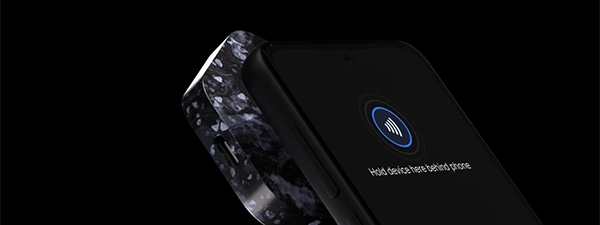
- Pair the hardware key via NFC, enroll your fingerprint, and verify the encrypted mobile key backup saved to your cloud drive.
- Document who holds which key: mobile key on your phone, hardware key offline, Bitkey's server key as the third signer.
- Record where the hardware key and cloud backup live, and store instructions separately so one break-in cannot grab both.
Gotcha: The hardware key has no screen; always confirm addresses on your phone or connected node.
2. Prove the setup
- Generate a receive address, send a small test (~10k sats), and wait for Security hub to confirm the deposit.
- Simulate one failure: run Cloud Recovery on a spare phone, start hardware replacement to see the seven-day hold, or test the Emergency Exit Kit offline.
- Wipe the spare device after the drill and log what you learned in your vault documentation.
Gotcha: Skipping the drill leaves recovery timing a mystery; practice now so you trust it under pressure.
3. Operationalize safety
- Set mobile send limits so only pocket money leaves with the phone; larger amounts require the hardware key or Recovery Contacts.
- Enable push, SMS, and email alerts for sends, recovery attempts, and inheritance events.
- Invite your Inheritance beneficiary, document the six-month timer, and store key locations plus contact instructions in a safe place.
Gotcha: Stale instructions turn convenience into a choke point; update the log when you travel or rotate devices.
Quick answers
Does Bitkey require me to write down a seed phrase?
No. Bitkey replaces seed phrases with the hardware key plus an encrypted mobile key backup stored in your own iCloud or Google Drive account.
Can Bitkey connect to my own Bitcoin node?
Yes. Advanced settings let you point the app at your full node or Electrum server so addresses and history sync privately.
Do I need an Android phone for the Emergency Exit Kit?
The kit runs on Android, so keep access to a spare Android device even if your daily driver is iOS.
Key features
Your key policy (who holds which keys)
Default policy: 2-of-3 multisig
- Who holds keys: Phone (mobile) · Hardware device · Provider server
- 1 key can: View balance / prepare only — no spending
- 2 keys required for: Spends, limit changes, recovery, inheritance
What each key does
- Mobile + server: Daily spends up to your limit
- Hardware + mobile: Bypass server; move any amount; change settings
- Hardware + server: Recover when phone is lost or replaced
If this happens, can I still move my Bitcoin?
If this happens, can I still move my Bitcoin?
Lose phone
WorksAn encrypted copy of your mobile key lives in your own cloud account, and your hardware key decrypts it. You can restore the wallet on a new phone without memorizing a seed phrase.
Show steps
- Install Bitkey on a new phone and sign into the same iCloud or Google Drive account.
- Approve the cloud access prompt, then tap your hardware key to decrypt the backup.
- Wait for the wallet to resync and verify the balance.
Gotcha: Cloud Recovery needs the hardware key, so keep it safe and separate from your phone.
Lose hardware
Works, with caveatBitkey triggers a seven-day security hold when you report lost hardware, giving you time to cancel if someone else made the request. Recovery Contacts can vouch for you to skip the waiting period.
Show steps
- Open the app, start hardware recovery, and watch for SMS and email alerts confirming the request.
- Wait seven days for the hold to clear, or share a code with your Recovery Contacts to speed it up.
- Pair the new hardware key and transfer your wallet to the fresh device.
Gotcha: If you lose both phone and hardware, Recovery Contacts become your only path; invite them during setup.
Bitkey compromised or offline
WorksBitkey holds only one of three keys. You control two keys, so you can always move bitcoin without the server—either by co-signing with your mobile and hardware keys, or by using the Emergency Exit Kit if their infrastructure goes offline.
Show steps
- If the server is online: open the Bitkey app, generate a receive address in another wallet, and use your mobile key plus hardware key to co-sign the send.
- If the server is offline or compromised: download the Emergency Exit Kit from Security hub, verify the SHA256 checksum, sideload the APK onto an Android device, tap your hardware key, and sweep your balance.
- Confirm the transaction on-chain to complete the exit.
Gotcha: The Emergency Exit Kit only runs on Android, so plan access to an Android device before an emergency. Different people draw different lines about how much to keep with a third-party key holder; you can choose differently.
Lose phone and hardware
Works, with caveatWhen you set up Bitkey, you can invite trusted contacts who download the app and agree to help you recover. If you lose your phone and hardware, your contacts verify a code inside their app so you can rebuild the wallet on new devices.
Show steps
- Download the Bitkey app on a new phone and start the recovery process for both devices.
- Share a verification code with your Recovery Contacts through a separate channel.
- Once they approve the request in their app, recover your mobile key from the cloud and pair a new hardware key.
- Transfer your wallet balance to the fresh device setup.
Gotcha: Recovery Contacts are your only path when both devices are gone; invite them during initial setup and confirm they still have access annually.
Inheritance: pass it on safely
Inheritance: pass it on safely
1. Set up today
ActionYour beneficiary must have their own Bitkey hardware wallet to accept the invitation and later claim funds.
- Open Security hub in Bitkey app and invite your beneficiary
- Wait for them to accept using their own Bitkey device
- Document where your hardware key and cloud backup live
- Store a one-page note with locations in a safe place
- Tell beneficiary where to find the note when needed
2. When someone passes
ProcessYou'll need: Beneficiary's own Bitkey device · access to instructions you left
- Beneficiary opens their Bitkey app and starts inheritance claim
- Six-month security hold begins; you receive alerts if alive
- After hold clears unchallenged, encrypted App Key transfers to beneficiary
- Beneficiary accesses wallet and sweeps funds to their own storage
Six-month waiting period from claim start to access. Network fees may apply for final sweep.
3. If plans break
EmergencyThey must complete device replacement flow before claiming; adds time to process
Claim proceeds after six-month hold; alerts may not reach deceased owner
Recovery Contacts can help rebuild access before inheritance claim starts
Compatibility: what works with Bitkey
Compatibility: what works with Bitkey
Bitkey hardware device
Verified- Bitkey hexagonal keySecure element: Yes · Battery: No (NFC-powered) · Fingerprint sensor: Yes
Mobile & desktop
- iOS 15.0+
- Android 9.0+
- Desktop Mobile-only wallet; no desktop app
Connection types
Verified- NFC
Required for hardware key pairing and signing - Your Bitcoin node
Electrum or full node connection - Emergency Exit Kit
Standalone Android APK for offline recovery
Bitcoin standards & keys
| Standard | Support | Notes |
|---|---|---|
| BIP39 | No |
Bitkey replaces seed phrases with cloud-backed mobile key plus hardware key |
| BIP32 | Yes |
Hierarchical deterministic key derivation used internally |
| BIP84 | Yes |
Native SegWit (bc1) addresses |
| BIP86 | No |
Taproot not yet supported |
| Passphrase (BIP39) | No |
Not applicable; no seed phrase model |
| Miniscript | No |
Uses proprietary 2-of-3 multisig implementation |
Show advanced
- Descriptors
- No — Descriptor export not supported
- PSBT
- No — Uses proprietary signing protocol between app and hardware
- Derivation paths
- Standard — Internal SegWit paths (not user-configurable)
- Output descriptors
- No — Does not expose output descriptors
Costs & ongoing obligations
Costs & ongoing obligations
Bitkey charges you once for the hardware. After that, Block covers the server infrastructure so you hold two keys without recurring fees. The only variable costs come from Bitcoin network mining fees when you move funds.
What you pay once
-
Bitkey hardware device $149Includes secure element, fingerprint sensor, NFC pairing
-
Shipping (within US) $0
-
International shipping VariesCheck Bitkey Store for your region
What you pay ongoing
-
Monthly subscription $0No membership tiers or premium features
-
Server key co-signing $0Block covers infrastructure costs
-
Cloud backup storage $0Uses your existing iCloud or Google Drive
-
Recovery assistance $07-day security hold or Recovery Contacts approval
Privacy & jurisdiction
Privacy & jurisdiction
What Block collects & where it lives
Your keys stay with you Encrypted cloud backup
Bitkey minimizes data collection to what's required for shipping hardware and sending security alerts. Your keys and transaction history never reach Block's servers.
When you buy Bitkey, Block stores your email and shipping address to deliver the hardware and send recovery alerts. The mobile key backup lives encrypted in your iCloud or Google Drive—Block holds no keys to decrypt it without your hardware device.
- Stays on your device: Private keys · Fingerprint templates · Transaction signing
- Your cloud (encrypted): Mobile key backup in iCloud/Google Drive · Only your hardware key can decrypt
- Block's servers: Email · Shipping address · Device serial · Recovery Contact invites · Inheritance assignments
- Optional logging: App sign-ins (timestamp, IP) · Pairing events · Security-hold starts · Limit changes
What about transaction history?
If you use Block's default node, your balance queries and address lookups are visible to Block. Connect your own Bitcoin node in Advanced settings to keep history fully private. The Emergency Exit Kit runs entirely offline—no server contact once you sideload the APK.
Jurisdiction: what that means for you
No KYC required
Block, Inc. operates Bitkey servers from the United States, which means US laws govern legal requests and export controls. Block can provide account metadata if compelled but cannot decrypt your cloud backup or access your on-chain keys.
US jurisdiction means Block must respond to lawful requests for account email, device metadata, and recovery logs. Your encrypted backup and private keys remain inaccessible to Block. Hardware may trigger customs questions in export-controlled regions.
- Provider: Block, Inc. (US-based) · Subject to US legal process and export rules
- Can be compelled: Account email · Device serial · Recovery/inheritance timestamps
- Cannot access: Your private keys · Encrypted cloud backup · On-chain transaction history
- Travel consideration: Hardware may attract customs attention in sanctioned jurisdictions
What if I need to move funds without the hardware?
Use Cloud Recovery to restore your mobile key on a new phone, or run the Emergency Exit Kit offline on Android to sweep funds if Block's servers are unavailable. Both paths require your hardware key. See Inheritance section for the six-month beneficiary claim process.
Your controls
Review anytime Export or delete
Security hub shows everything Block stores about your wallet. You can request data export or account deletion, and your cloud backups live in your own Drive/iCloud where you control them directly.
- Security hub: View paired devices · Backup timestamps · Recovery Contacts · Beneficiary assignments
- Notifications: Toggle push, SMS, email alerts individually · One channel required for security events
- Data requests: Email support for account export or deletion · Cloud backups deletable in your Drive/iCloud
- Node privacy: Connect your Bitcoin node in Advanced settings to hide balance queries from Block
Does Block publish transparency reports?
Block has not published Bitkey-specific transparency reporting yet. Check Block's corporate disclosures for aggregate legal-request statistics. Security hub logs device additions, limit changes, and recovery attempts, but there's no public audit API.
Quick answers
Can Bitkey see my balances or transactions?
Only if you use their default node. Keys stay on your devices and Bitkey cannot sign without you; connect your own node for full privacy.
Who gets notified if someone starts a recovery?
You receive push, SMS, and email alerts immediately, and any Recovery Contacts you designated see the request in their app.
Does Bitkey keep my biometric data?
No. Fingerprints stay on the hardware key's secure element; Block only tracks whether biometrics are enabled, not the template itself.
Key terms
- Security hub
- The Bitkey app dashboard that shows device status, backups, inheritance invites, and emergency tools.
- Recovery Contacts
- Trusted people you invite who can verify your identity and help rebuild the wallet if you lose both keys.
- Emergency Exit Kit
- A signed Android app plus your encrypted mobile key that lets you move funds if Bitkey's servers go offline.
Release & Trust
Release & Trust

Security & recovery docs
Help center
Release notes
Latest updates
Privacy notice
Privacy policy
Terms of service
TermsProfile
Profile

Bitkey is a mobile and hardware wallet developed by Block and designed for people new to Bitcoin who want simple, secure self-custody. The system combines a phone app with a wireless hardware device a...
Bitkey is a mobile and hardware wallet developed by Block and designed for people new to Bitcoin who want simple, secure self-custody. The system combines a phone app with a wireless hardware device and an encrypted cloud backup, using a 2-of-3 multisig model to keep users in control of their funds. This structure allows users to recover access even if they lose their phone or the device, adding safety without relying on seed phrases.
FAQs
How does Bitkey's 2-of-3 key system keep my bitcoin safe?
Bitkey splits control between the mobile key on your phone, a fingerprint hardware key, and a server key, and every send or security change needs two signatures. That means Block can never move funds alone while you still have a path to recover coins if one device fails.
What is Bitkey's Cloud Recovery flow if I lose my phone?
The Bitkey app stores an encrypted copy of your mobile key inside your iCloud or Google Drive account, and the hardware key decrypts it. Install Bitkey on a new phone, sign into the same cloud account, tap the hardware key, and your wallet restores without seed phrases.
What happens when my Bitkey hardware is lost or damaged?
Start hardware recovery in the app and Bitkey triggers a seven-day security waiting period while SMS and email alerts confirm the request. After the hold, pair a replacement device or invite Recovery Contacts to approve sooner so you can co-sign again.
How do Recovery Contacts help if I lose my phone and hardware?
You can pre-approve trusted contacts in the Bitkey app, and they install Bitkey, accept your invite, and agree to vouch for you. If both keys disappear, you share a code with them, they verify it inside their app, and that lets you rebuild your wallet on new hardware.
When would I use the Bitkey Emergency Exit Kit?
The Emergency Exit Kit is a signed Android utility plus an encrypted mobile key backup stored in your cloud drive. If Bitkey's infrastructure ever goes offline, you sideload the kit, tap your hardware key, and sweep your bitcoin to any address you control.