Wasabi Review: Fees, Features & Setup Guide

Quick verdict
 Best for: Privacy-focused bitcoiners who want a self-custodial desktop wallet with default Tor routing, coin control, and hardware wallet support.
 Consider if: You value mandatory labeling, open-source code, hardware wallet integration, and the option to connect your own node.
 Not ideal when: You need a mobile app, built-in CoinJoin (zkSNACKs coordinator shut down June 2024), or Lightning support.
Set up your Wasabi wallet
Set up your Wasabi wallet
1. Install and create your wallet
- Download Wasabi from wasabiwallet.io or build it from source, then verify the package signature.
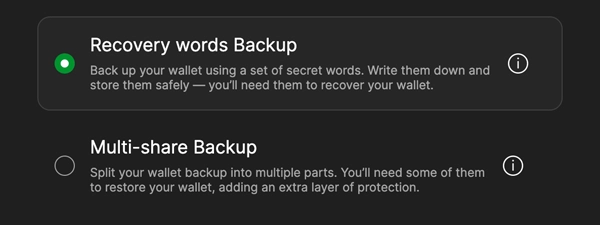
- Create a new wallet, record the 12 recovery words, and set a strong passphrase that only you know.
- Confirm the words inside the app so you know the backup is correct before depositing any sats.
Gotcha: You need both the seed words and the passphrase to spend later, so store them in different safe places.
2. Label every deposit
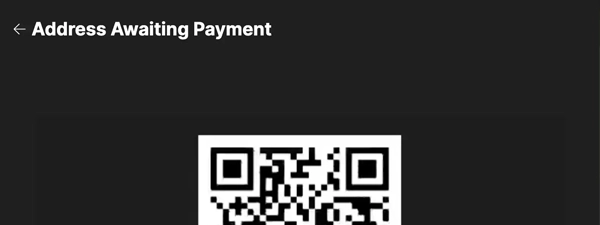
- Open Receive, describe who knows this address, and let Wasabi generate a fresh bc1 address.
- Share the address with your exchange or payer and wait for on-chain confirmations in the History tab.
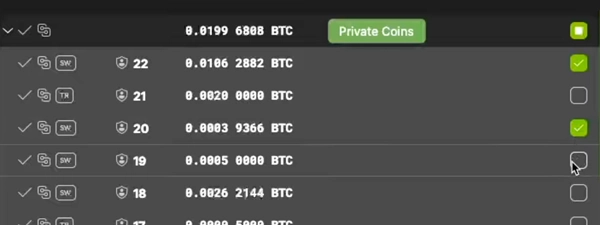
- Mark the coin with meaningful labels so you remember which observers know about it when you spend later.
Gotcha: Reusing addresses exposes your graph to every counterparty, so rely on Wasabi's labeling workflow.
3. Practice sending privately
- Use Send to craft a transaction, select which coins to spend, and review the fee estimate.
- Authorize the send with your passphrase and watch it broadcast to the network.
- Note which observers now know about the recipient address so your labels stay accurate.
Gotcha: CoinJoin was available via the zkSNACKs coordinator until June 2024; community coordinators may still operate.
Quick answers
Can I still use CoinJoin with Wasabi Wallet?
The zkSNACKs coordinator shut down June 1, 2024. Wasabi continues as a regular wallet with Tor, coin control, and PayJoin. Community coordinators may emerge.
Does Wasabi require a seed phrase and passphrase?
Yes. Write down the 12 words and store the passphrase separately; you need both to spend or recover your Bitcoin.
Can Wasabi connect to my own Bitcoin node?
Yes. Point Wasabi at your Bitcoin Core or Electrum server in settings so address lookups and filters stay private.
Key features
Who holds your keys & what privacy you get
Self-custody (you hold the keys)
- Non-custodial: Private keys stay on your device, encrypted with your passphrase.
- Recovery: Standard BIP39 recovery words plus optional passphrase (Nip-46) let you restore on any compatible wallet.
- Hardware option: Pair Coldcard, Trezor, Ledger via Hardware Wallet Interface so signing stays offline.
Tor and client filters
- Always-on Tor: Network calls route through Tor by default, hiding your IP from servers.
- Compact block filters: The app downloads filters and scans them locally so your addresses never leave the machine.
- Node option: Point Wasabi at your own Bitcoin Core or Electrum server for full self-verification.
Coin control and PayJoin
- Mandatory labeling: Every address and coin carries the observers you list so you can avoid accidental linkages later.
- Manual coin selection: Spend view lets you choose exactly which coins fund a payment.
- PayJoin support: Send interactive PayJoin transactions (BIP78) to break common-input-ownership heuristics when the recipient supports it.
CoinJoin (availability varies)
- zkSNACKs coordinator shutdown: The default coordinator closed June 1, 2024. Wasabi continues as a regular wallet with coin control and PayJoin.
- Community coordinators: Third-party coordinators may operate; check forums and GitHub for current options.
- Open-source protocol: WabiSabi is public, so anyone can run a coordinator if demand returns.
If this happens, can I still move my Bitcoin?
If this happens, can I still move my Bitcoin?
Lose laptop
WorksWallet files live on your computer, but the seed phrase and passphrase recreate everything on a fresh install.
Show steps
- Install Wasabi on a new machine and choose Recover wallet.
- Enter the 12 words plus the exact passphrase to unlock the keys.
- Let the wallet rescan filters; your balance reappears once sync completes.
Gotcha: Restoring on a new device invalidates the old install, so wipe or destroy the lost machine if it resurfaces.
Lose seed words
Works, with caveatThe 12 words are the root of every key, so without them you cannot recreate the wallet.
Show steps
- If the wallet is still open, generate a new wallet immediately and move funds there.
- Export labels and history to help with bookkeeping before you sweep.
- Store the new seed in duplicate fire-resistant locations.
Gotcha: There is no recovery without the seed, so test backups before you deposit life-changing amounts.
Forget passphrase
Works, with caveatWasabi encrypts secrets with the optional passphrase, so the seed alone is insufficient once you set it.
Show steps
- If you still have the wallet unlocked, open Wallet Manager and change the passphrase to something memorable.
- Record the new passphrase alongside—but separate from—the seed words.
- Sweep funds into a fresh wallet if you suspect the old passphrase leaked.
Gotcha: If you lose the passphrase and the wallet is locked, the coins are gone; there is no brute-force option.
Coordinator offline
WorksCoinJoin needs a coordinator, but your keys are local so you can still spend on-chain or point to another coordinator.
Show steps
- Pause Auto CoinJoin and send coins on-chain like any other wallet.
- Switch to a community coordinator or run your own if you need immediate mixes.
- Reconnect to the default coordinator once it is back online.
Gotcha: CoinJoin pauses while the coordinator is offline, so plan mixes ahead of deadlines.
Inheritance: choose your path
Inheritance: choose your path
1. DIY single-sig
You onlyWhen you control a single seed plus passphrase, heirs need both pieces and clear instructions to restore the wallet. This works when you trust one person to find everything and execute carefully.
- Written seed phrase location
- Passphrase location (stored separately)
- Wasabi installation guide
- Wallet label export
2. DIY multisig
Small groupA 2-of-3 or 3-of-5 multisig setup (Bitkey, Sparrow) splits control across multiple keys held by you, family members, or trusted contacts. One lost key does not lock the funds, and no single person can move coins alone.
- Migrate Wasabi funds to multisig wallet
- Distribute keys to different people or locations
- Document the quorum policy (which keys must co-sign)
- Provide restore instructions for each key holder
3. Provider-assisted
ProviderServices like Unchained or AnchorWatch offer assisted multisig where they hold one key and provide inheritance tooling. Your heirs follow a documented claim process, and the provider co-signs after verifying identity and waiting period.
- Migrate Wasabi funds to assisted multisig provider
- Complete provider's inheritance setup flow
- Designate beneficiaries within the provider's platform
- Document access credentials and waiting periods
Compatibility: what works with Wasabi
Compatibility: what works with Wasabi
Desktop operating systems
- Windows 10+
- macOS 12+ (Apple Silicon & Intel)
- Linux Ubuntu/Debian/Fedora
Hardware wallets via HWI
Verified- ColdcardUSB or microSD via Hardware Wallet Interface
- TrezorModel One and T support via HWI
- LedgerNano S/X supported; confirm addresses on-device
- Generic HWI devicesRequires latest HWI binaries and firmware
Connection types
Verified- Tor
Enabled by default for every network call - Cleared TCP
Can disable Tor for debugging; privacy decreases - Bitcoin Core RPC
Point Wasabi at your own node for block filters - Electrum server
Use your own Electrum endpoint over Tor
Bitcoin standards & keys
| Standard | Support | Notes |
|---|---|---|
| BIP39 | Yes |
12 or 24-word seeds with optional passphrase |
| BIP32 | Yes |
HD derivation with account structure stored in wallet file |
| BIP84 | Yes |
Native SegWit (bc1) receive and change addresses |
| BIP86 |  Partial Partial |
Taproot receive supported; CoinJoin still SegWit v0 |
| PayJoin (BIP78) | Yes |
Optional PayJoin send and receive integration |
Show advanced
- Descriptors
- Yes — Wallet file stores output descriptors; export via JSON
- PSBT
- Yes — Used for hardware wallet signing and offline workflows
- Derivation paths
- Standard — m/84'/0'/0' for mainnet; testnet paths available
- Output descriptors
- No — Descriptors stay inside Wasabi; no UI export yet
Costs & ongoing obligations
Costs & ongoing obligations
The software is free and open-source. You pay only Bitcoin network mining fees when you send transactions.
What you pay once
-
Wasabi download $0Open-source MIT-licensed software
-
Optional hardware wallet $79-$200Coldcard, Trezor, Ledger, or similar
-
Backup materials $10-$100Steel plates, notebooks, or fireproof bags
What you pay ongoing
-
Bitcoin mining fees DynamicApplies to every on-chain send
-
Tor bandwidth $0Your ISP's data plan covers the traffic
-
CoinJoin coordinator fee N/AzkSNACKs coordinator shut down June 1, 2024
Privacy & jurisdiction
Privacy & jurisdiction
What Wasabi collects & where it lives
No accounts Tor routing
Wasabi keeps everything client-side so using the wallet never requires sharing identity data.
Wallet creation, balances, and labels stay on your machine. Tor plus client-side block filters keep IP addresses and addresses away from coordinators or servers.
- Stays on your device: Seed words, passphrase, labels, history, coin selection
- Tor tunnel: All network calls are proxied unless you explicitly disable Tor
- No coordinator dependency: zkSNACKs coordinator shut down June 2024; wallet continues as regular Bitcoin wallet
- No accounts: Wasabi never asks for email, phone, or identity
What happened to CoinJoin?
The zkSNACKs coordinator closed June 1, 2024 ([blog post](https://blog.wasabiwallet.website/zksnacks-is-discontinuing-its-coinjoin-coordination-service-1st-of-june/)). Wasabi continues with Tor, coin control, and PayJoin. Community coordinators may still operate.
Jurisdiction: zkSNACKs Ltd. (Gibraltar)
Open-source
Wasabi is published by zkSNACKs Ltd., a Gibraltar-registered company subject to local laws but the wallet itself runs without accounts.
Legal requests can target the website, yet the wallet is open-source so you can compile it yourself and verify the code independently.
- Provider: zkSNACKs Ltd., Gibraltar (EU-linked jurisdiction)
- Can be compelled: Website analytics or support inquiries if retained
- Cannot access: Your private keys, seed, labels, or balances
- Option: Run Wasabi over Tor bridges or connect your own node for maximum privacy
Does the coordinator shutdown affect my coins?
No. Your keys stay local. The coordinator only facilitated CoinJoin mixing, which was optional. You can still receive, send, and store bitcoin normally.
Your controls
Open code Client-side labels
You can audit every release, export data for bookkeeping, and decide which coordinators or nodes to trust.
Transparency plus user-configurable backends let you keep verification close to home.
- Open-source: MIT-licensed codebase on GitHub with reproducible builds
- Node choice: Point at your own Bitcoin Core or Electrum server
- Label export: Save and encrypt your labels for audits or migrations
- Coordinator choice: Connect to community or self-hosted coordinators
Can I audit releases?
Yes. Wasabi publishes deterministic build hashes and PGP signatures for every release so you can reproduce the binaries yourself.
Quick answers
Does Wasabi require KYC?
No. You download the app, create a wallet, and start using it with no personal data.
Can anyone freeze my Wasabi funds?
No. Keys stay on your device and the wallet is non-custodial, so only you control spending.
Where are labels stored?
Inside your encrypted wallet file. Export them manually if you need off-device backups.
Key terms
- WabiSabi
- Wasabi's flexible CoinJoin protocol that allows variable output amounts.
- Compact block filters
- Client-side block summaries (BIP158) that let wallets sync privately.
- PayJoin
- An interactive transaction where sender and receiver both contribute inputs to break heuristics.
Release & Trust
Release & Trust

Deterministic builds, client-side filters, and Tor-by-default networking
Security guide
Active development on GitHub with frequent releases and audits
Release notes
No-account model with dedicated privacy notice
Privacy policy
Terms of service published by zkSNACKs Ltd.
Terms of serviceProfile
Profile

Wasabi Wallet is a privacy-focused, open-source, non‑custodial Bitcoin desktop wallet launched by zkSNACKs. It routes all traffic through Tor and uses compact blockchain filters, keeping your IP and b...
Wasabi Wallet is a privacy-focused, open-source, non‑custodial Bitcoin desktop wallet launched by zkSNACKs. It routes all traffic through Tor and uses compact blockchain filters, keeping your IP and balance private. With the 2024 sunset of the zkSNACKs CoinJoin coordinator, Wasabi now focuses on powerful manual coin control, PayJoin, and hardware wallet integration for privacy management.
FAQs
Can I still use CoinJoin with Wasabi Wallet in 2025?
The zkSNACKs coordinator shut down June 1, 2024, so the default CoinJoin option is no longer available. Wasabi continues as a privacy-focused wallet with Tor, coin control, and PayJoin. Community-run coordinators may emerge.
Does Wasabi Wallet always run over Tor?
The desktop app launches with Tor routing and client-side block filters so your IP address and balances never hit a third-party server. You can toggle Tor off for troubleshooting, but privacy drops immediately when you do.
Can Wasabi Wallet connect to hardware wallets or my own node?
Wasabi talks to the open-source Hardware Wallet Interface and can point at Bitcoin Core or Electrum, which keeps signing on dedicated devices while your node answers address lookups. Turn those integrations on if you want end-to-end self verification.
What fees should I expect when using Wasabi Wallet?
The software is free, every transaction still pays the standard mining fee, and CoinJoin rounds add roughly a 0.3% coordinator fee for inputs above 0.01 BTC while smaller inputs only pay miners. You can delay mixes or spend unmixed coins when privacy is less critical.
What do I need to recover a Wasabi Wallet?
Wasabi encrypts your wallet with the 12-word seed plus the optional passphrase, so you must restore with both pieces to regain control. Store them separately and test a dry-run recovery before you trust the wallet with real savings.