Aqua Review: Fees, Features & Setup Guide

Updated: November 2025

Quick verdict

positive icon Best for: Mobile Bitcoiners who want Liquid privacy and the option to spend over Lightning without running channels.

neutral icon Consider if: You plan to hold USDt on Liquid or need the Dolphin Card for day-to-day expenses.

negative icon Not ideal when: You need rock-bottom Lightning fees or rely on desktop wallets.
Getting started

Getting started with Aqua

1. Install and create your wallet

1. Install and create your wallet

Setup time: ~5 minCost: FreeRisk: Low
  1. Download Aqua from the App Store or Google Play
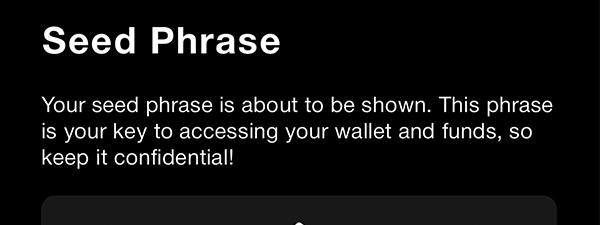
  2. Create a new wallet and write the 12-word seed on paper
  3. Add an optional passphrase if you want an extra layer

Gotcha: Aqua cannot import seeds from other wallets, so keep this new phrase safe.

2. Add funds

2. Add funds

Setup time: ~10 minCost: Mining feeRisk: Medium
  1. Choose Receive and pick Bitcoin, Liquid, or Lightning
  2. For large on-chain deposits, use Direct Peg-in to land funds directly as L-BTC
  3. Wait for confirmations before spending

Gotcha: Lightning receives run through Boltz, so expect a short delay and a swap fee when capacity is low.

3. Pay or swap

3. Pay or swap

Setup time: ~1-3 minCost: 0.1%+ for Lightning swapsRisk: Medium
  1. Tap Send and pick Lightning, Bitcoin, or USDt
  2. Review the quoted fee before confirming
  3. Use the swap screen to bridge USDt to other chains if required

Gotcha: Boltz and third-party providers charge extra for swaps; wait for low-fee periods if you're cost sensitive.

Fees: what you pay and when

Fees: what you pay and when

Pay someone

Pay someone

0.1% of the amount + Liquid network fee

What happens:
Aqua swaps L-BTC through Boltz to settle the Lightning invoice.

Save money:
Batch payments when possible and send during low Liquid fee periods.

Learn more

Boltz charges 0.1% plus the underlying Liquid mining fee when you send over Lightning.

Receive on Lightning

Receive on Lightning

0.25% + Liquid fee

What happens:
Boltz receives the payment and credits your Liquid or Bitcoin balance.

Save money:
Use Lightning sparingly for small payments and rely on on-chain or Liquid for bigger transfers.

Learn more

Receiving Lightning through Aqua triggers a Boltz swap that currently costs 0.25% plus the Liquid mining fee.

Quick answers

Why are Lightning fees higher than in other wallets?

Aqua relies on Boltz swaps instead of native channels, so the service charges percentage-based fees on top of the Liquid mining cost.

Can I choose which swap provider Aqua uses?

Not yet. The app automatically selects a partner today, but JAN3 plans to let you pick providers in a future release.

How do I keep swap fees predictable?

Check the quoted fee before confirming and prefer Liquid or on-chain payments when you do not need an instant Lightning settlement.

Key terms
Boltz swap
A trust-minimized service that turns your Liquid funds into Lightning payments and back.
Liquid Network
A Bitcoin sidechain that adds faster settlement, confidential transactions, and native USDt support.
Direct peg-in
An Aqua feature that converts on-chain BTC straight into your L-BTC balance without extra manual steps.
Compatibility: what works with Aqua

Compatibility: what works with Aqua

Pay with Lightning

Works, with caveat

Via Boltz Swap fee applies

Aqua routes Lightning payments through Boltz, so you can spend instantly without running a channel yourself.

Show steps

Gotcha: Boltz adds a fee and uses your Liquid balance. Heavy use can be more expensive than native Lightning wallets.

Pay on-chain

Works

Bitcoin Liquid

Pay exchanges or merchants with either on-chain BTC or the faster Liquid network.

Show steps

Gotcha: Direct peg-out to mainnet still depends on third-party liquidity, so large withdrawals may take longer.

Receive on Lightning

Works, with caveat

0.25% swap fee Auto refunds if it fails

Aqua lets you accept Lightning tips and swaps them into Liquid or Bitcoin automatically.

Show steps

Gotcha: Each Lightning receive costs 0.25% plus the Liquid fee, so small tips can get eaten by the charge.

Receive on-chain

Works

BTC & L-BTC addresses Direct peg-in

You can receive BTC or L-BTC with confidential amounts when using Liquid.

Show steps

Gotcha: Liquid senders must also support Liquid. For mainnet BTC, direct peg-in avoids paying two separate transaction fees.

Move your Aqua wallet or funds

Move your Aqua wallet or funds

Restore wallet on new device

Restore Aqua on a new phone

Time: ~10 minCost: FreeRisk: Low

Choose: When you lose or upgrade your device and need the same wallet.

Show steps
  1. Install Aqua from the official app store
  2. Pick Restore Wallet and enter the 12-word seed (and passphrase if you set one)
  3. Let the app rescan balances before deleting the old install

Tips: Keep the old phone offline until the new one finishes syncing to avoid confusion.

Gotcha: You cannot run the same seed on two phones at once.

Move wallet from another wallet

Another wallet → Aqua

Time: ~5–15 minCost: Network feeRisk: Medium

Choose: When you want Liquid privacy or the Dolphin Card but currently use a different wallet.

Show steps
  1. Create your Aqua wallet and back up the seed
  2. Send a small test payment from your existing wallet to Aqua
  3. Move the remainder once the test settles

Tips: Use Liquid or on-chain BTC for the transfer; Lightning swaps from other wallets will still incur fees.

Gotcha: You cannot import an old seed, so funds must physically move.

Move wallet to cold wallet storage

Aqua → Long-term storage

Time: ~1–6 hoursCost: Mining feeRisk: Low

Choose: When you want to vault BTC or USDt elsewhere.

Show steps
  1. Send on-chain BTC or Liquid to your cold storage address
  2. If moving BTC, consider peg-out timing when fees are low
  3. Wait for confirmations before deleting Aqua

Tips: Liquid peg-outs rely on SideSwap liquidity; plan ahead for large amounts.

Gotcha: Peg-outs can take hours if SideSwap's hot wallet is empty.

Move wallet to another wallet

Aqua → Another wallet

Time: ~15–45 minCost: Swap or routing feesRisk: Medium

Choose: When you need native Lightning or desktop support instead.

Show steps
  1. Install the new wallet and complete its backup
  2. Send a small test from Aqua using the network your new wallet prefers
  3. Drain remaining balances once confirmed

Tips: Use on-chain transfers for large amounts to avoid repeated Boltz fees.

Gotcha: Deleting Aqua without moving funds loses access permanently.

Privacy & Safety

Privacy & Safety

Who can see what when you use Aqua

  • Aqua does not log payments on JAN3 servers, but third-party swaps (Boltz, SideShift, Changelly) see the amounts they process.
  • Optional JAN3 accounts (for services like Dolphin) store your email only; no password is kept.
  • App store billing and crash reports still follow Apple and Google policies.
Do: Audit swap quotes and only share support details with providers you trust.
Don't: Assume swaps or Lightning transactions are invisible. Providers learn the amounts they route.

Lost your phone? How Aqua recovery works

  • Seed lives solely on your device; JAN3 cannot recover it if you lose it.
  • To restore, install Aqua on a new phone, choose Restore Wallet, and enter the 12 words (plus passphrase if set).
  • If Boltz fails to settle, Aqua shows a Refund button so you can reclaim the funds.
Do: Store the seed somewhere dry and offline; consider adding the optional passphrase if you share the device.
Don't: Never screenshot or cloud-sync the seed.

Availability & safe installs

  • Dolphin Card roll-out is phased; some regions cannot apply yet.
  • Swap partners may block certain countries based on compliance rules.
  • Install updates promptly. New builds often address security and fee issues.

Quick answers

Does Aqua collect analytics?

No. The wallet ships without analytics. Only optional services gather the email you volunteer.

Can JAN3 recover my wallet if I lose the seed?

No. The seed stays local, so recovery is entirely your responsibility.

What happens if a Lightning swap fails?

Boltz automatically refunds your Liquid balance. If it stalls, use the Refund button or contact the provider with the swap ID.

Key terms
JAN3 account
An optional email login for services like the Dolphin Card; not required for basic wallet use.
Confidential transaction
A Liquid feature that hides amounts while keeping addresses auditable.
Swap provider
A third party (Boltz, SideShift, Changelly) that converts between networks for you.
Release & Trust

Release & Trust

Last update

November 2025

App Store
Publisher

JAN3 LLC

Developer
Open source

Core wallet on GitHub

Repo
Development activity

Commits in Oct 2025

Commits
Profile

Profile

Founder(s)
Samson Mow
Samson Mow
Company description

Aqua is JAN3's mobile wallet that keeps Bitcoin, Liquid, and Lightning funds in one place. The app is self-custodial, so you write down a 12-word seed and control every transaction.

Aqua is JAN3's mobile wallet that keeps Bitcoin, Liquid, and Lightning funds in one place. The app is self-custodial, so you write down a 12-word seed and control every transaction.

Founded in
2024
Website

FAQs

What networks does Aqua support?

Aqua keeps one balance spanning Bitcoin on-chain, the Liquid sidechain, and Lightning. You can also swap USDt to other chains through partners when needed.

Does Aqua require KYC?

No. The wallet is self-custodial. You only share an email if you opt into JAN3 services such as the Dolphin Card.

How do Lightning payments work in Aqua?

Aqua sends and receives Lightning through Boltz submarine swaps. You pay in L-BTC, Boltz settles over Lightning, and any refunds return to your Liquid balance.

Can I import an existing seed phrase into Aqua?

Aqua only restores wallets that were originally created inside the app. It generates a 12-word seed that you should store offline as your only backup.

How does Aqua handle USDt on other blockchains?

USDt on Liquid is native. When you send or receive USDt on networks like Ethereum or Tron, Aqua routes the transaction through swap providers such as SideShift or Changelly and their fees apply.

×

Rate this service

Alternatives to Aqua