Muun Review: Fees, Features & Setup Guide

Updated: December 2025

Quick verdict

positive icon Best for: Beginners who want automatic network selection and no manual channel management.

neutral icon Consider if: You want both Lightning and on-chain in one seamless balance without technical complexity.

negative icon Not ideal when: You need Lightning addresses or want predictable low fees during high on-chain activity.
Getting started

Getting started with Muun

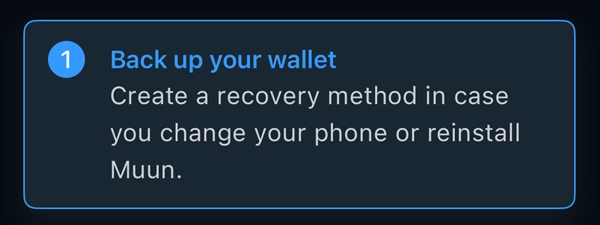
1. Install and create Emergency Kit

1. Install and create Emergency Kit

Setup time: ~10 minCost: FreeRisk: Low
  1. Install Muun from App Store or Google Play
  2. Create your account with email and password
  3. Generate and save your Emergency Kit PDF (can store in cloud—it's encrypted)

Gotcha: You need BOTH the Emergency Kit AND Recovery Code to restore. Neither alone is enough to access your funds.

2. Receive your first Bitcoin

2. Receive your first Bitcoin

Setup time: ~2 minCost: Varies (network fees)Risk: Low
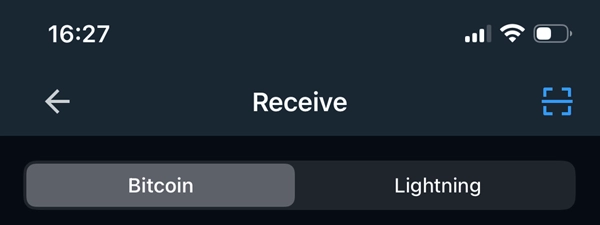
  1. Tap Receive and choose Lightning or Bitcoin address
  2. Muun automatically handles the network selection
  3. Share the QR code or address with your payer

Gotcha: Lightning payments may use submarine swaps which can have higher fees than native Lightning wallets during busy periods.

3. Make a payment

3. Make a payment

Setup time: ~1 minCost: Network fees (varies)Risk: Low
  1. Tap Send and scan or paste an invoice or address
  2. Muun automatically chooses Lightning or on-chain based on the payment
  3. Review the amount and fee estimate, then confirm

Gotcha: Fees can be unpredictable. Muun may use on-chain transactions for Lightning payments when network conditions require it.

Fees: what you pay and when

Fees: what you pay and when

Pay someone

Send Lightning

Network routing fees (typically <10 sats for small amounts)

What happens:
Muun routes your Lightning payment automatically.

Save money:
Lightning fees are already minimal and scale with payment size.

Learn more

Lightning payments through Muun are fast and cheap when routing works cleanly. The wallet handles all the complexity—you just see the total fee before confirming.

First time you receive

Receive Lightning (submarine swap)

Muun manages no channels. Every Lightning transaction occurs on-chain via swap, so fees rise significantly when the Bitcoin mempool is busy.

What happens:
Muun uses an on-chain transaction to enable your Lightning receive—you pay the fee, not the sender.

Save money:
Check mempool.space before requesting large Lightning payments; avoid receiving when on-chain fees are high.

Learn more

When you receive Lightning but Muun needs to establish payment capacity, it uses a submarine swap—an on-chain transaction that enables the Lightning payment. Unlike most Lightning wallets, YOU (the receiver) pay this fee. This is the main cost tradeoff of Muun's automatic channel management.

Send Bitcoin on-chain

Send Bitcoin on-chain

Current mining fee (check mempool.space)

What happens:
Your payment is broadcast to the Bitcoin network and confirmed in blocks.

Save money:
Send during weekends or low-activity periods; consolidate outputs when fees are cheap.

Learn more

Muun's fee estimator uses real-time mempool data to suggest optimal fees. You won't overpay when the network is quiet, but you'll pay market rate during busy periods.

Quick answers

Why are Muun's fees sometimes higher than other Lightning wallets?

Muun uses submarine swaps to provide seamless Lightning payments without manual channel management. This convenience comes with potentially higher fees when on-chain activity is high.

How does Muun's fee estimator work?

Muun uses a mempool-based estimator that looks at current network conditions, not past blocks. This helps you pay efficient fees—not overpaying when the network is quiet, nor underestimating when it's busy.

Can I control whether Muun uses Lightning or on-chain?

Muun automatically chooses the best method based on the payment type and network conditions. You'll see the fee estimate before confirming.

Key terms
Submarine swap
An on-chain Bitcoin transaction that enables Lightning payments when direct channel routing isn't possible. In Muun, YOU pay for this when receiving.
Mining fee
Fee paid to Bitcoin miners to include your transaction in a block. Varies with network demand; check mempool.space for current rates.
Compatibility: what works with Muun

Compatibility: what works with Muun

Pay with Lightning

Works

Invoices Pay links Lightning Address

Muun automatically routes Lightning payments via submarine swaps when needed.

Show steps

Gotcha: Lightning Address (user@domain.com) is not yet supported. Muun may use on-chain swaps for Lightning sends, increasing fees during busy periods.

Pay on-chain

Works

Native on-chain Auto-selects network

Muun lets you send to any Bitcoin address with automatic network selection.

Show steps

Gotcha: On-chain fees vary with network congestion. Check mempool.space before sending large amounts.

Receive on Lightning

Needs setup

Uses swaps You pay swap fee

Muun uses submarine swaps to receive Lightning payments without managing channels.

Show steps

Gotcha: Unlike most Lightning wallets, YOU (the receiver) pay the submarine swap fee (on-chain mining fee + service fee). This can be $2–$50+ when the network is busy.

Receive on-chain

Works

Native Unified balance

Receive from exchanges and other wallets directly to your unified balance.

Show steps

Gotcha: Muun shows one balance for both Lightning and on-chain—convenient but different from channel-based wallets.

Move your Muun wallet or funds

Move your Muun wallet or funds

Restore wallet on new device

Restore Muun on a new phone

Time: ~5 minCost: FreeRisk: Low

Choose: When you get a new device and want to keep using Muun.

Show steps
  1. Install Muun on the new phone from the official app store.
  2. Log in with your email and password—your wallet syncs automatically.
  3. Verify your balance and transaction history appear correctly.

Tips: Keep your Emergency Kit and Recovery Code safe—they're your ultimate backup if email access fails.

Gotcha: If you lose email access, you'll need your Emergency Kit + Recovery Code for full recovery.

Move wallet from another wallet

Another wallet → to Muun

Time: ~10–20 minCost: Network feesRisk: Low

Choose: When you want to start using Muun but have funds elsewhere.

Show steps
  1. Install Muun and complete the setup (Emergency Kit + Recovery Code).
  2. In Muun, tap Receive and choose Lightning or Bitcoin depending on your source wallet.
  3. Send from your old wallet to Muun. Start with a small test amount first.

Tips: Always test with a small amount first. Muun handles both Lightning and on-chain automatically—choose what works best for your source wallet.

Gotcha: Muun may use submarine swaps for Lightning receives, which can incur on-chain fees if network is busy.

Move wallet to cold wallet storage

Muun → to cold storage

Time: ~10 min to 1 hourCost: Mining feeRisk: Low

Choose: When you want to move Bitcoin to long-term storage.

Show steps
  1. Get a receiving address from your cold storage wallet.
  2. In Muun, tap Send and paste the cold storage address.
  3. Review the fee and confirm—wait for blockchain confirmations.

Tips: Check current mining fees before sending. Consider waiting for weekends when fees are typically lower.

Gotcha: On-chain confirmations can take 10 minutes to several hours depending on network activity and fee paid.

Move wallet to another wallet

Muun → to another wallet

Time: ~15–30 minCost: Network feesRisk: Low

Choose: When you want to try a different wallet and move your balance.

Show steps
  1. Install and set up your new wallet completely.
  2. Test with a small payment (~10,000 sats) from Muun to the new wallet.
  3. Once verified, send the remaining balance from Muun to your new wallet.

Tips: Test first with a small amount. Keep both wallets until you confirm the full transfer succeeded.

Gotcha: Different wallets have different recovery models—make sure you understand your new wallet's backup system before moving funds.

Privacy & Safety

Privacy & Safety

Who can see what when you use Muun

  • Muun uses a 2-of-2 multisig model: one key on your phone, one on Muun's server. Muun co-signs your transactions for daily use.
  • For Lightning payments, Muun servers can see transaction amounts and timing needed for routing.
  • On-chain transactions are public by design; address reuse can link your activity.
  • Your Emergency Kit contains both keys encrypted—neither Muun nor attackers can access funds without your Recovery Code.
Do: Use Muun's automatic network selection to benefit from both Lightning and on-chain privacy features.
Don't: Assume complete privacy—Muun's cooperative model means some metadata is visible to Muun servers.

Lost your phone? How Muun recovery works

  • Your Emergency Kit (PDF) and Recovery Code (paper) together give you full self-custody. Neither piece alone can access funds.
  • Standard restore: install Muun → enter email/password → wallet syncs automatically. For full recovery use your Emergency Kit + Recovery Code.
  • If Muun servers go offline: decrypt your Emergency Kit with your Recovery Code to access both private keys independently.
  • Your keys are stored in two places: one on your phone (hot) and one on Muun's server (hot), but both are encrypted in your Emergency Kit (cold).
Do: Store your Emergency Kit in multiple secure locations (it's encrypted). Keep your Recovery Code on paper, never digital.
Don't: Lose both the Emergency Kit and Recovery Code—you need them together for full self-custody.

Availability & safe installs

  • Muun is available worldwide through official app stores.
  • Download only from the official publisher on Apple App Store or Google Play.
  • Verify the developer name (Muun) before installing.

Quick answers

Can Muun access my Bitcoin?

No. While Muun holds one key for daily transactions, they never have both keys decrypted simultaneously. Your Emergency Kit ensures full self-custody.

What if I lose my phone?

Install Muun on a new phone, log in with email/password. For full recovery without Muun, use your Emergency Kit + Recovery Code.

What if Muun company disappears?

Use your Emergency Kit + Recovery Code to access both private keys and sweep your funds independently.

Key terms
2-of-2 multisig
Requires two signatures to spend funds—one from you, one from Muun—ensuring security and convenience.
Emergency Kit
PDF with your encrypted keys and output descriptors for independent recovery.
Recovery Code
Random characters that decrypt your Emergency Kit; has more entropy than a 12-word mnemonic.
Release & Trust

Release & Trust

Last update

October 2025

Store page
Publisher

Muun

Verify
Open source

Yes (MIT)

Repo
Development activity

Active development

Commits
Profile

Profile

Founder(s)
Dario Sneidermanis
Dario Sneidermanis
Company description

Muun is a non-custodial Bitcoin and Lightning wallet focused on giving users full control with minimal complexity. It separates itself from other wallets through its unique security and backup model: ...

Muun is a non-custodial Bitcoin and Lightning wallet focused on giving users full control with minimal complexity. It separates itself from other wallets through its unique security and backup model: users recover access using an email, password, and encrypted recovery code—removing the need to manage a traditional 12-word seed phrase. This makes onboarding easier for beginners without compromising self-custody.

Founded in
2019
Website

FAQs

What is Muun Wallet?

Muun is a non‑custodial Bitcoin and Lightning wallet that chooses the best network automatically for each payment.

How does Muun backup work?

Muun uses an email and encrypted recovery code instead of a traditional 12‑word seed phrase.

Is Muun open source?

Yes. Muun is open‑source and widely reviewed by the community.

What is Muun's 2-of-2 multisig model?

Muun requires two signatures to spend: one from your phone and one from Muun's server, ensuring both security and convenience for daily transactions.

How can I restore Muun after losing my phone?

Use your Emergency Kit PDF combined with your Recovery Code to restore full access; both pieces are required.

×

Rate this service

Alternatives to Muun