Breez Review: Fees, Features & Setup Guide

Updated: November 2025

Quick verdict

positive icon Best for: Mobile Lightning payments with auto-managed channels, POS tools, and podcast streaming.

neutral icon Consider if: You want to accept sats in a shop or stream payments to creators without running nodes manually.

negative icon Not ideal when: You avoid cloud backups, need desktop access, or demand ultra-low inbound fees.
Getting started

Getting started with Breez

1. Install and secure Breez

1. Install and secure Breez

Setup time: ~5 minCost: FreeRisk: Low
  1. Install Breez from the App Store or Google Play
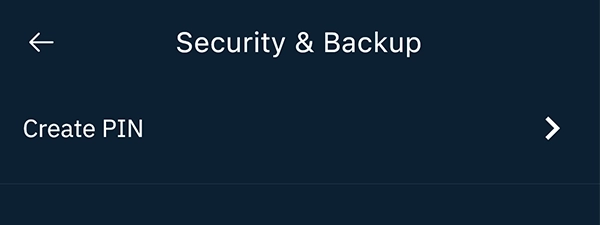
  2. Set a PIN or biometric lock under Preferences > Security & Backup
  3. Link a cloud provider and write down your Breez recovery key offline

Gotcha: Cloud access alone is not enough—store the recovery key somewhere offline before using real funds.

2. Receive your first sats

2. Receive your first sats

Setup time: ~3 minCost: ~0.4% + mining fee when a new channel opensRisk: Low
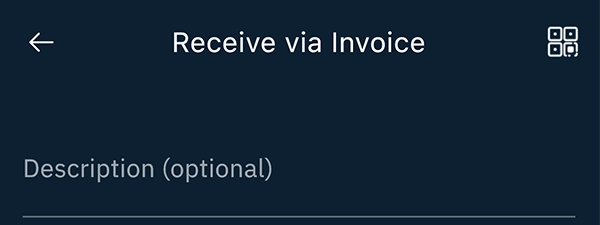
  1. Tap Receive and choose Lightning invoice
  2. Share the QR with your payer and keep the app awake
  3. Let Breez set up a channel automatically if you need more capacity

Gotcha: Channel creation fees appear before you confirm; wait for lower mempool fees if the estimate is high.

3. Pay with Lightning or POS

3. Pay with Lightning or POS

Setup time: ~1 minCost: Network routing fee (you set the max)Risk: Low
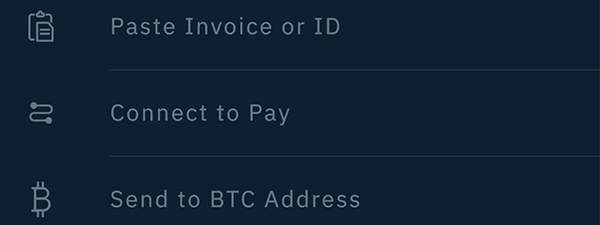
  1. Tap Send, scan a Lightning invoice or Lightning Address
  2. Review the route fee Breez found and confirm
  3. In POS mode, enter the amount and show the invoice QR to your customer

Gotcha: Large payments may need more channel space—check your available balance before charging a big order.

Fees: what you pay and when

Fees: what you pay and when

Pay someone

Pay someone

Network routing fee (you set the max)

What happens:
Breez routes the payment over Lightning and finds the best available path.

Save money:
Set a reasonable fee cap and avoid paying during busy network periods when finding routes is harder.

Learn more

Routing fees depend on the payment path. Breez lets you control the maximum fee under Preferences > Lightning Fees so you stay in budget.

First time you receive

Channel Creation (LSP)

0.4% of the amount + small base fee + current network mining fee

What happens:
Breez uses an LSP to open a channel on-the-fly. This incurs a ~0.4% setup fee (min ~2,000 sats) deducted from the incoming amount.

Save money:
Receive a meaningful amount on your first payment and wait for quieter network periods to reduce the mining fee portion.

Learn more

The fee covers Breez funding a new channel on the Bitcoin network. It only applies when your wallet needs more receiving capacity.

Send Bitcoin on-chain

Send to a Bitcoin address

0.5% swap fee + mining fee (via swap partner)

What happens:
Breez converts your Lightning balance into an on-chain Bitcoin transaction automatically.

Save money:
Combine withdrawals and wait for low-fee periods; swaps need at least 50k sats and cost more when the network is busy.

Learn more

A swap partner handles the conversion for Breez. Expect a 0.5% service fee plus the current Bitcoin network mining fee.

Quick answers

Does Breez charge every time I receive Lightning payments?

No. Once your channel has capacity, receives are free apart from normal network routing fees; the 0.4% setup fee applies only when you need more receiving capacity.

Can I limit how much a payment costs to send?

Yes. Use Preferences > Lightning Fees to set your own caps so Breez will only send payments within your budget.

What happens if a swap to Bitcoin is too expensive?

Wait for lower network fees or send the funds over Lightning instead—swaps to on-chain Bitcoin inherit the network's mining costs.

Key terms
Instant channel setup
A Lightning channel that Breez opens automatically without waiting for network confirmations so you can receive payments right away.
Reverse submarine swap
Converts your Lightning balance into an on-chain Bitcoin payment using a trustless escrow.
Encrypted cloud backup
Breez saves your encrypted channel data to your cloud account so you can restore everything if you lose your device.
Compatibility: what works with Breez

Compatibility: what works with Breez

Pay with Lightning

Works

Invoices | Lightning Address | POS Mode

Breez routes Lightning invoices, pay links, and Lightning Addresses automatically and finds the best path for reliable delivery.

Show steps

Gotcha: Very small payments under ~100 sats can fail because channel partners enforce minimum balances.

Pay on-chain

Works

Automatic swap to Bitcoin address

Automatic swaps let you send Lightning funds to an on-chain address without leaving Breez.

Show steps

Gotcha: Swaps carry a 0.5% service fee plus network mining costs and need at least 50k sats.

Receive on Lightning

Works

Invoices | Pay links | Auto-opens channels

Breez opens channels instantly so you can accept payments without setting up capacity yourself.

Show steps

Gotcha: Channel setup fees apply when you need more capacity; you'll see the fee before confirming.

Stream Sats to Creators

Works

Podcast Player | V4V | Boostagrams

Breez includes a full podcast player that lets you support creators directly with Value for Value streaming.

Show steps

Gotcha: Good for: Supporting the circular economy directly.

Move your Breez wallet or funds

Move your Breez wallet or funds

Restore wallet on new device

Restore Breez on a new phone

Time: ~10 minCost: FreeRisk: Low

Choose: When your original device is lost or retired.

Show steps
  1. Install Breez on the new device from the official store listing.
  2. Select Restore, pick the same cloud provider, and enter your Breez recovery key.
  3. Stay online while Breez downloads backups and resyncs channels before uninstalling the old copy.

Tips: Test the recovery flow with a small balance before storing large funds so you know the process.

Gotcha: Running Breez on two phones at once can desync channels—shut down the old device after the restore.

Move wallet from another wallet

Another wallet → to Breez

Time: ~5–15 minCost: Routing feesRisk: Low

Choose: When you want Breez automation but currently use another Lightning wallet.

Show steps
  1. Set up Breez and complete the security and backup prompts.
  2. Create a Breez Lightning invoice for the amount you wish to move.
  3. Pay the invoice from your old wallet, starting with a small test before larger transfers.

Tips: Leave both wallets open during the transfer so routes stay active and invoice timers do not expire.

Gotcha: Expect Breez to charge the 0.4% setup fee if the transfer needs fresh receiving capacity.

Move wallet to cold wallet storage

Breez → to on-chain wallet

Time: ~1–6 hoursCost: Mining feeRisk: Low

Choose: When you plan to cold-store funds on-chain.

Show steps
  1. Open Settings > Close channels and choose cooperative close for the lowest fee.
  2. Wait for the closing transaction to confirm; funds appear in Breez’s on-chain view.
  3. Sweep the confirmed balance to your external wallet.

Tips: Check mempool fees before closing channels and target cheaper periods to save on miner fees.

Gotcha: Force-closing channels is slower (up to ~5 days) and costs more—reserve it for emergencies.

Move wallet to another wallet

Breez → to another Lightning wallet

Time: ~15–45 minCost: Routing feesRisk: Low

Choose: When you want to switch to a different Lightning client.

Show steps
  1. Install and secure the new wallet, including its recovery method.
  2. Send a test Lightning payment from Breez to the new wallet to confirm connectivity.
  3. Move the remaining balance, then close Breez channels or export funds on-chain as needed.

Tips: Move funds in batches if routes fail; Breez’s mission control improves with retries.

Gotcha: Remember to update any POS terminals or podcast splits to the new wallet’s Lightning Address.

Privacy & Safety

Privacy & Safety

Who can see what when you use Breez

  • Breez connects to Breez's service to route Lightning payments, so the operator can see payment amounts and timing needed to keep channels working.
  • Swaps to on-chain Bitcoin show up as public Bitcoin transactions that include your chosen swap amount.
  • Your encrypted channel data sits with your cloud provider, though they cannot read it without your recovery key.
  • Lightning network nodes in the payment path still see metadata (amount, timing, routing hints) needed to forward payments.
Do: Consider connecting Breez to your own Bitcoin node when possible to limit what third parties can see.
Don't: Assume Lightning is fully private—routing still reveals payment amounts and timing to nodes along the path.

Lost your phone? How Breez recovery works

  • Link a cloud account (Google Drive, iCloud, Nextcloud, or any compatible service) and confirm backups work after your first payment.
  • Write down the Breez recovery key offline; this key decrypts your backup when you need to restore.
  • To restore: install Breez, sign in to the same cloud account, and enter your recovery key so the app can rebuild your channels.
  • If Breez or its service disappears, use the Close channels option to move funds to on-chain—wait several hours for network confirmations.
Do: Test a small restore before keeping larger amounts to make sure you can access your cloud backup and recovery key.
Don't: Run Breez on two phones at once; this causes conflicts and can lead to losing funds.

Availability & safe installs

  • App-store listings and Lightning connectivity vary by country—check if Breez is available in your region before recommending it to merchants.
  • If your preferred cloud service is blocked locally, switch Breez to another supported provider in Settings.

Quick answers

Does Breez expose my payments to my cloud provider?

No. Backups are encrypted on your device before upload; the provider stores encrypted data and cannot read your balances without your recovery key.

Can Breez connect to my own Bitcoin node?

Yes. Configure a custom node in Preferences > Network to reduce reliance on Breez's default service.

What if Breez's service goes offline when I need funds?

Use the Close channels option to move funds to on-chain. Settlement happens after the standard safety period of about 5 days.

Key terms
Efficient data filtering
A method that lets Breez check the Bitcoin network without downloading the entire blockchain to your phone.
Channel service
A partner service that opens channels for you and keeps payment capacity available so your transactions go through smoothly.
Recovery key
The Breez-generated encryption key that unlocks your cloud backup when you need to restore your wallet.
Release & Trust

Release & Trust

Last update

January 2025 release

App Store
Publisher

Breez Development LTD

Developer
Open source

Open source

GitHub
Development activity

Last commit Sep 2025

Commits
Profile

Profile

Founder(s)
Roy Sheinfeld
Roy Sheinfeld
Company description

Breez is a beginner-friendly Lightning wallet designed to make everyday bitcoin payments effortless on mobile. The app runs a Lightning node behind the scenes, pairing a simple interface with automati...

Breez is a beginner-friendly Lightning wallet designed to make everyday bitcoin payments effortless on mobile. The app runs a Lightning node behind the scenes, pairing a simple interface with automatic channel management so anyone can spend or receive sats in seconds.

Founded in
2018

FAQs

What fees apply when I pay over Lightning?

Breez passes along the network's routing fees (like a toll) and lets you cap them under Preferences > Lightning Fees; the app itself doesn't add extra charges to everyday sends.

What happens if I don't have enough capacity to receive?

Breez automatically sets up a new channel for you and charges 0.4% of the amount plus the current Bitcoin network fee when more capacity is needed.

How does Breez back up my wallet?

Each time you make a payment or generate an address, Breez encrypts your channel data and saves it to your cloud account (Google Drive, iCloud, Nextcloud, or any WebDAV provider) so you can restore everything if you lose your phone.

How can I restore Breez after losing my phone?

Install Breez on your new device, sign in with the recovery key and cloud account you set up, then keep the app open while it downloads your backup and rebuilds your channels.

Does Breez support on-chain transactions?

Yes. Breez uses submarine swaps so you can receive to a Bitcoin address or send out to on-chain wallets while keeping a single Lightning balance.

×

Rate this service

Alternatives to Breez