Bitonic Review: Fees, Features & Setup Guide

Updated: November 2025

Quick verdict

positive icon Best for: Dutch and EU savers who want bitcoin-only buys with iDEAL and a fee-free monthly allowance.

neutral icon Consider if: You want bundled payouts that batch miner fees before moving sats to cold storage.

negative icon Not ideal when: You need Lightning withdrawals or non-EU payment rails.
Getting started

Getting started with Bitonic

1. Create and verify your account

1. Create and verify your account

Setup time: ~10 minCost: FreeRisk: Low
  1. Visit Bitonic's Create account page and choose the personal or business flow.
  2. Accept the User Agreement and appendices, then submit your email and password.
  3. Upload the requested identity documents and confirm your IBAN so compliance can approve you.

Gotcha: Verification can require additional documents, so keep your ID and proof of address nearby.

2. Link your bank and schedule funding

2. Link your bank and schedule funding

Setup time: ~5 minCost: Free-€0.15Risk: Low
  1. Add your EU bank account in the Bitonic app or dashboard.
  2. For Auto Invest, set up a recurring SEPA transfer from your bank to Bitonic's IBAN.
  3. If you prefer manual buys, prepare an iDEAL, Bancontact, or SEPA deposit to match your plan.

Gotcha: Manual SEPA deposits take about one business day to clear before you can withdraw the resulting bitcoin.

3. Buy and move sats to your wallet

3. Buy and move sats to your wallet

Setup time: ~5-30 minCost: Service fee + dynamic miner feeRisk: Low
  1. Choose Buy Bitcoin, enter your amount, or confirm your Auto Invest plan.
  2. Select 'My own wallet' to paste a fresh address or keep funds in Bitonic temporarily.
  3. Watch for the on-chain transaction and log it in your wallet once it confirms.

Gotcha: Dynamic miner fees apply to every withdrawal, and urgent euro payouts cost 0.25% (minimum €7.50).

Quick answers

How long does Bitonic verification usually take?

Most accounts are approved within minutes through the app, but manual review can extend the process if compliance needs extra documents.

When will my Auto Invest transfer convert to bitcoin?

Bitonic converts your standing SEPA payment as soon as the transfer arrives, then emails a receipt detailing the rate, fee allowance, and miner fee.

Can I update my withdrawal address after scheduling a purchase?

Yes. Edit the destination under Auto Invest or on the order form before the payout triggers so Bitonic pushes coins to the correct wallet.

Fees: what you pay and when

Fees: what you pay and when

Deposit cash

Deposit cash

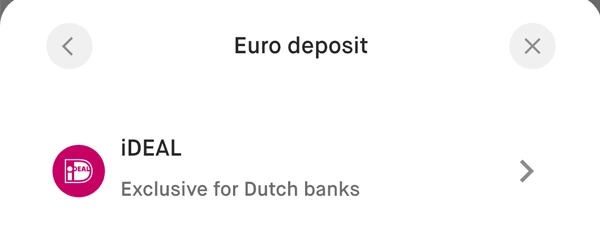
iDEAL: free
Manual SEPA: free
Easy SEPA: 0.5%
Bancontact: 0.5%
Bitcoin: free

What happens:
iDEAL and Bancontact settle instantly, manual SEPA arrives within about one business day, and bitcoin deposits post as soon as the transaction confirms.

Save money:
Use iDEAL or manual SEPA for larger sums to avoid the 0.5% surcharge.

Learn more

All deposit costs appear in the buy widget before you confirm.

Buy bitcoin

Buy bitcoin

1.0% service charge (Auto Invest: 0% up to €250/month, then 0.89%)

What happens:
Bitonic sells from its own inventory at an all-in price that includes the service charge and any payment surcharge.

Save money:
Use Auto Invest to take advantage of the €250 monthly fee holiday or scale into OTC desk rates for larger orders.

Learn more

OTC quotes start at 0.9% for €200,000 orders and drop further at higher tiers.

Withdraw bitcoin

Withdraw bitcoin or euros

Euro payout: free (urgent: 0.25%, minimum €7.50)
Bitcoin withdrawal: dynamic miner fee (targeting 3rd block)

What happens:
Standard euro payouts go out the next business day. Bitcoin withdrawals include a dynamic miner fee with free RBF bumps if confirmation lags.

Save money:
Skip urgent payouts unless timing is critical and use bundled purchases to batch bitcoin withdrawals.

Learn more

Urgent payouts are available up to €10,000; contact support for larger express transfers.

Quick answers

Does Bitonic charge for iDEAL deposits?

No. iDEAL deposits are free and post instantly so you only pay the trading service charge.

How does Bitonic handle bitcoin withdrawal fees?

Bitonic sets a dynamic miner fee that targets confirmation within three blocks and bumps it with Replace-By-Fee if confirmation lags.

When should I request an urgent euro payout?

Use the urgent payout when you need funds within the hour; it costs 0.25% with a €7.50 minimum and is available up to €10,000.

Key terms
Bundled purchases
An Auto Invest feature that accumulates fills until a satoshi threshold is reached, then sends one on-chain withdrawal to your chosen address.
Auto Invest allowance
The €250/month window where Bitonic waives its Auto Invest service fee before reverting to the standard 0.89%.
Urgent payout
A manual euro transfer Bitonic offers for a 0.25% fee (minimum €7.50) to accelerate bank settlement.
Payment methods & limits

Payment methods & limits

iDEAL / Bancontact

Available
Speed Instant
Withdraw N/A

Best for: Instant euro funding for Dutch and Belgian customers

View limits & details
Min per transactionShown after verification
Max per transactionShown after verification
Max per dayShown after verification
Max per weekShown after verification
Withdrawal eligibilityAvailable once your account passes compliance

SEPA transfer (manual or Easy)

Available
Speed ~1 business day
Withdraw N/A

Best for: Larger deposits that can wait a day to avoid surcharge

View limits & details
Min per transactionShown after verification
Max per transactionShown after verification
Max per dayShown after verification
Max per weekShown after verification
Withdrawal eligibilityAvailable once the transfer settles

SEPA standing order (Auto Invest)

Available
Speed ~1 business day
Withdraw Bundled payout

Best for: Hands-off DCA with 0% fee on first €250/month

View limits & details
Min per transaction€5 recommended minimum
Max per transactionSet by your bank
Max per daySet by your bank
Max per weekSet by your bank
Withdrawal eligibilityTriggers when bundle threshold hits

Bitcoin deposit (selling your bitcoin)

Available
Fee Free
Speed 1+ confirmations
Withdraw N/A

Best for: Depositing funds when you want to <strong>sell</strong> bitcoin for euros.

View limits & details
Min per transactionNo minimum
Max per transactionNo maximum
Max per dayNo limit
Max per weekNo limit
Withdrawal eligibilityAvailable after confirmation
Bitonic features & limits

Bitonic features & limits

0% fee allowance

Works, with caveat

First €250/month free 0.89% beyond allowance

Bitonic waives service fees on the first €250 you auto-invest each month, so consistent DCA stays fee-free aside from miner costs.

Show steps

Gotcha: SEPA processing still costs €0.15 per transfer and network fees apply when Bitonic sends coins on-chain.

Bundled purchases

Works

Batch payouts automatically Fewer UTXOs & lower fees

Bundled purchases queue fills until your threshold hits, then broadcast one payout to cut miner fees and avoid dust.

Show steps

Gotcha: Your bitcoin stays custodial until the bundle triggers, so pick a threshold that balances fee savings with exposure time.

Dollar-cost averaging (DCA)

Works

Daily, weekly, or monthly Email receipts for every fill

Recurring buys convert SEPA arrivals to bitcoin automatically so you build a position without timing the market.

Show steps

Gotcha: Amounts above the free allowance incur the 0.89% service charge, so adjust your plan if you notice diminishing returns.

Auto-withdraw

Works

Send straight to your wallet Keep Bitonic storage as a backup

Point every purchase to your wallet so coins settle on-chain immediately after payment clears.

Show steps

Gotcha: On-chain withdrawals rely on network congestion, so expect dynamic miner fees even when Bitonic covers RBF bumps.

Self-custody: withdraw safely

Self-custody: withdraw safely

Pick a wallet

1. Choose your cold storage

Time: ~5 minCost: €0-€200Risk: Low

Cold storage keeps bitcoin offline so exchange failures cannot touch it.

Show steps
  1. Pick a hardware or multisig wallet that matches your experience.
  2. Initialize it offline and record the seed on paper or steel.
  3. Store backups in separate safe locations.

Gotcha: Never photograph or email your seed phrase; offline copies are the only safe option.

Make a safe receive code

2. Add wallet address to Bitonic

Time: ~2 minCost: FreeRisk: Low

Linking your address turns every purchase into an automatic withdrawal.

Show steps
  1. Generate a fresh receive address from your cold storage wallet.
  2. In Bitonic, choose "My own wallet" and paste the address carefully.
  3. Label the address in your wallet so you can confirm incoming funds later.

Gotcha: Double-check the pasted address and consider a second device for verification to avoid clipboard malware.

Send a tiny test first

3. Send a test withdrawal

Time: ~10 minCost: Dynamic miner feeRisk: Low

A small test confirms your address and workflow before larger amounts.

Show steps
  1. Buy a small amount of bitcoin or use part of your Auto Invest allowance.
  2. Trigger a withdrawal to your fresh address and note the transaction ID.
  3. Wait for one confirmation and verify the balance inside your wallet.

Gotcha: Choose a standard fee tier so the test confirms within an hour without overpaying.

Move the rest

4. Bundle and sweep the rest

Time: ~10-60 minCost: Dynamic miner feeRisk: Low

Bundled purchases reduce miner fees while automating self-custody exits.

Show steps
  1. Enable bundled purchases in the Bitonic app and set your satoshi threshold.
  2. Confirm the destination address before the bundle triggers.
  3. After the sweep arrives, update your records and generate a new address for the next cycle.

Gotcha: While funds are bundling they remain on Bitonic, so choose a threshold that balances fee savings with your appetite for custodial exposure.

Quick answers

Do I need to reuse addresses for Auto Invest?

No. Bitonic lets you update the destination before each payout, so you can rotate addresses to protect privacy.

How can I confirm my batched withdrawal arrived?

Check your hardware wallet balance or look up the transaction ID on a block explorer once Bitonic emails the payout details.

What if I want to pause withdrawals for a while?

Disable bundled purchases or switch the destination back to your Bitonic account, then re-enable external payouts when you're ready to sweep again.

Privacy & Safety

Privacy & Safety

Who can see what when you use Bitonic

  • Bitonic stores all account and transaction data on self-managed servers located in the Netherlands.
  • Identity documents, IBAN details, and bitcoin addresses are collected to meet Dutch anti-money laundering requirements.
  • Matomo analytics runs on Bitonic infrastructure without third-party cookies, so usage data stays in-house.
  • Payment partners such as Mollie, Volt, Worldline, Mailgun, and MessageBird receive only the data needed to process transfers and communications.
Do: Request a data export via privacy@bitonic.nl if you want a copy or correction of your records.
Don't: Reuse the same password or send KYC documents outside Bitonic's encrypted upload flow.

Lost your phone? How Bitonic recovery works

  • Use the password reset link on the login form to regain access to your account email.
  • Follow any additional verification prompts Bitonic requires before trading resumes.
  • Contact support with your legal documents if automated recovery fails or you change your primary email.
Do: Store updated contact details and keep two-factor authentication backups offline.
Don't: Wait until you need an urgent withdrawal before testing your recovery options.

Availability & safe installs

  • Bitonic focuses on Dutch and EU customers and requires an EU IBAN for funding.
  • The company operates under Dutch regulation and is registered with De Nederlandsche Bank as a virtual asset service provider.
  • App availability and product access follow the listings in the Apple App Store and Google Play Store for supported regions.

Quick answers

Can Bitonic delete my personal data?

Yes. You can exercise GDPR rights to access, correct, or request deletion, subject to Dutch legal retention rules.

Where does Bitonic host its infrastructure?

All infrastructure is self-built and hosted in the Netherlands to keep data under Dutch jurisdiction.

Does Bitonic share data with law enforcement?

Bitonic only discloses personal data to authorities when a lawful request or statutory obligation requires it.

Key terms
Bundled purchases threshold
The satoshi amount you configure that triggers a single on-chain payout of accumulated Auto Invest buys.
Urgent payout
A premium euro withdrawal that Bitonic processes manually for a 0.25% fee with a €7.50 minimum.
Replace-By-Fee (RBF)
A protocol feature Bitonic uses to raise the miner fee if your withdrawal has not confirmed quickly enough.
Release & Trust

Release & Trust

Custody & safeguarding

Segregated foundation holds customer funds 1:1 with multisig cold storage.

Security overview
Licenses & registrations

Registered with De Nederlandsche Bank as virtual asset service provider.

Licenses
Privacy policy

GDPR-compliant with data stored on Dutch servers.

Privacy policy
Terms & conditions

User Agreement covers risks and personal/business account terms.

User Agreement
Profile

Profile

Founder(s)
Robert de Waard, Jouke Hofman & Niels van Groningen
Company description

Bitonic is the oldest and largest Bitcoin-only broker in the Netherlands, founded in 2012, with a reputation for reliability and simplicity. They offer fast, automatic Bitcoin delivery via iDEAL, SEPA...

Bitonic is the oldest and largest Bitcoin-only broker in the Netherlands, founded in 2012, with a reputation for reliability and simplicity. They offer fast, automatic Bitcoin delivery via iDEAL, SEPA, and Bancontact, and their fully automated system ensures quick transfers.

Founded in
2012
Website

FAQs

How do Bitonic's Auto Invest fees work?

Bitonic waives the service charge on the first €250 you auto-invest each calendar month, then charges 0.89% on additional volume plus a €0.15 SEPA processing fee and the prevailing network fee.

Does Bitonic send bitcoin directly to my wallet after each purchase?

Yes. You can link a personal bitcoin address so every buy settles to your wallet or use bundled purchases to queue a larger payout that reduces miner fees.

What payment methods can I use to buy bitcoin on Bitonic?

Bitonic supports iDEAL and manual SEPA deposits for free, Bancontact and Easy SEPA at 0.5%, and bitcoin deposits without any surcharge.

How fast does Bitonic pay out when I sell bitcoin?

Sales are reserved immediately and Bitonic submits the euro payout no later than the next business day, with an optional urgent transfer that costs 0.25% (minimum €7.50) for faster settlement.

What verification does Bitonic require to open an account?

You choose a personal or business flow, accept the User Agreement, and provide identity documents, address details, and IBAN information so Bitonic can meet Dutch compliance rules.

×

Rate this service

Alternatives to Bitonic