Peach Review: Fees, Features & Setup Guide

Updated: November 2025

Quick verdict

positive icon Best for: Buyers who want a mobile, non-custodial peer marketplace with escrow and no routine KYC.

neutral icon Consider if: You already manage wallet backups and feel comfortable coordinating fiat payments directly with peers.

negative icon Not ideal when: You expect a desktop interface, automated recurring buys, or an intermediary that holds funds for you.
Getting started

Getting started with Peach

1. Install and create your account

1. Install and create your account

Setup time: ~5 minCost: FreeRisk: Low
  1. Download Peach from the official App Store (Testflight), Google Play, or the APK page.
  2. Set a strong password when the app creates your account file.
  3. Enable biometric unlock and a screen lock on your phone before trading.

Gotcha: Peach cannot reset your password, so store it offline before you trade.

2. Back up your Peach account file

2. Back up your Peach account file

Setup time: ~5 minCost: FreeRisk: Medium
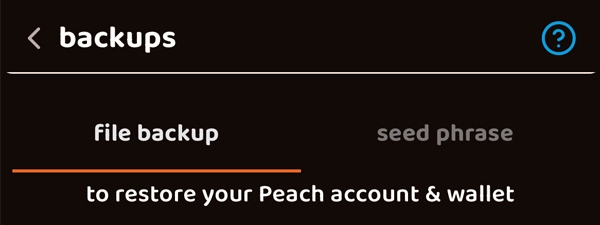
  1. Open Settings > Backup and export your encrypted account file.
  2. Copy the file to two storage locations you control, such as an SD card and a laptop.
  3. Store the backup password separately from the file so a thief cannot unlock both.

Gotcha: Losing both the file and password means Peach cannot recover your sats.

3. Complete a small test trade

3. Complete a small test trade

Setup time: ~15-45 minCost: Trading fee: ~2%Risk: Medium
  1. Filter offers by country, currency, and the payment method you already trust.
  2. Wait for the seller to fund escrow and confirm the transaction hash before paying.
  3. Send a small amount of fiat, share proof in chat, and verify the bitcoin release in your wallet.

Gotcha: Keep chat inside the app so mediators can review the history if something goes wrong.

Quick answers

How long do Peach trades usually take?

Most trades settle within the payment window set by the seller; instant rails close in minutes while bank transfers can take a business day or two.

Can I restore Peach after losing my phone?

Yes. Install the app on a new device, import your backup file, and enter its password. Without the backup Peach cannot help.

Does Peach have a desktop app?

Not yet. Peach is mobile-only today, so you need the iOS, Android, or APK build to post offers.

Fees: what you pay and when

Fees: what you pay and when

Deposit cash

Fund the escrow

Seller pays the on-chain mining fee

What happens:
The seller sends bitcoin into a unique 2-of-2 address shared with Peach before any fiat moves.

Save money:
Schedule escrow funding when the mempool is calm and use Peach's fee suggestion to avoid overpaying.

Learn more

You can watch the funding transaction hash inside the trade timeline before you release any cash.

Buy bitcoin

Buy bitcoin

2% platform fee + Seller Premium

What happens:
Peach charges ~2%, but sellers often add their own premium (1–5%) above the Bitcoin spot price.

Save money:
Build reputation, compare premiums, and apply Peach Point rewards from referrals to offset part of the fee.

Learn more

Referral rewards pay 42 sats per point. Request a payout ticket when you want to convert points to sats.

Withdraw bitcoin

Release bitcoin

Bitcoin network fee picked by the seller on release

What happens:
When the seller co-signs, the release transaction leaves escrow to your address with the fee they selected.

Save money:
Agree on the fee level in chat and choose lower-fee windows when your payment rail can wait.

Learn more

Escrow auto-unlocks after roughly 4,320 blocks so the buyer can still claim funds if the seller disappears.

Quick answers

Who pays Peach's marketplace fee?

Buyers cover the ~2% fee when the trade closes, while sellers only pay the mining fees to fund escrow.

Can I lower fees with Peach Points?

Yes. Every 10,000 sats your referrals trade earns a Peach Point worth 42 sats, which you can request as a payout through support.

What if an escrow transaction gets stuck with a low fee?

Peach's tutorials walk you through RBF and CPFP so the seller can bump the fee or you can craft a child transaction when confirmation stalls.

Key terms
Account file
The encrypted bundle stored on your phone that holds Peach wallet keys, payment instructions, chats, and preferences.
Peach score
Your reputation rating based on counterparty feedback, disputes, and payment speed.
Instant trade
A trade mode where the taker slides Instant Trade and the contract starts immediately without manual acceptance.
Payment methods & limits

Payment methods & limits

Bank transfer

Available
Speed Same day to several days
Withdraw Release after seller confirms fiat

Best for: Larger trades when both parties can wait for bank settlement.

View limits & details
Min per transactionSet in the offer
Max per transactionScales with your Peach score
Max per dayScales with your Peach score
Max per weekScales with your Peach score
Withdrawal eligibilityRelease after the seller marks payment received

Cash in person

Available
Speed Immediate
Withdraw Release on confirmation at the meeting

Best for: Local trades when you want face-to-face settlement without banking rails.

Fintech apps (Wise, Revolut, Twint)

Available
Speed Minutes to hours
Withdraw Release once both apps show the transfer settled

Best for: Cross-border deals when both parties use the same app.

View limits & details
Min per transactionSet in the offer
Max per transactionDepends on the app and your Peach score
Max per dayDepends on the app and your Peach score
Max per weekDepends on the app and your Peach score
Withdrawal eligibilityRelease after screenshots confirm the transfer
Peach features & limits

Peach features & limits

Device-held account file

Works

Encrypted on your phone Export your own backup

Peach stores your wallet state in an encrypted file that never leaves your phone. That keeps your keys, payment preferences, and chats under your control instead of on company servers. You can export the file to offline storage so a lost phone never strands your sats.

Show steps

Gotcha: If you lose both the backup file and the password, Peach cannot restore your wallet.

Multisig trade escrow

Works

Seller + Peach signatures Dispute fallback after 4,320 blocks

Each trade locks bitcoin in a 2-of-2 address that needs the seller and Peach to sign before funds move. That stops unilateral withdrawals and gives disputes a path to resolution after roughly 4,320 blocks. You can verify the escrow on-chain before you send any money.

Show steps

Gotcha: Never send fiat before escrow is funded and confirmed.

KYC-free daily limits

Works

Up to ~1,000 CHF daily Stay private without ID

Swiss regulation lets Peach settle trades under about 1,000 CHF per day without collecting identity documents. That keeps small deals private while staying compliant. You can plan larger moves across several days if you want to remain in the no-KYC bracket.

Show steps

Gotcha: Crossing compliance triggers can pause new trades until you finish any required verification.

Self-custody: keep your coins

Self-custody: keep your coins

Pick a wallet

1. Pick a cold storage wallet

Time: ~5 minCost: $0-$200Risk: Low

Cold storage keeps your sats offline once trades settle.

Show steps
  1. Choose a hardware or multi-signature wallet you trust.
  2. Initialize the wallet and record the seed phrase on paper or metal.
  3. Store the seed phrase in a secure, offline location.

Gotcha: Do not take photos of your seed phrase or store it in cloud accounts.

Make a safe receive code

2. Create a fresh receive address

Time: ~2 minCost: FreeRisk: Low

Fresh addresses keep your trade history private.

Show steps
  1. Connect your cold wallet to its desktop or mobile companion app.
  2. Generate a new on-chain receive address.
  3. Copy the address carefully and double check the first and last characters.

Gotcha: Do not reuse addresses. A fresh address hides how many sats you already hold.

Send a tiny test first

3. Send a small test amount

Time: ~10 minCost: Mining fee (~$1-$5)Risk: Low

Testing the path builds confidence before moving the full trade amount.

Show steps
  1. Once a Peach trade releases, tap Wallet > Send and paste your cold wallet address.
  2. Send a small amount first and pick a fee that confirms within an hour.
  3. Verify the receive on your cold wallet and on a block explorer.

Gotcha: If the test gets stuck, adjust the fee or use CPFP before moving the rest.

Move the rest

4. Move the remaining balance

Time: ~15-60 minCost: Mining fee (~$5-$15)Risk: Low

Sweeping the balance keeps only spending money on your phone.

Show steps
  1. Generate another fresh address from cold storage.
  2. Transfer the rest of the sats and pick a fee that matches your timeline.
  3. Confirm the receive and archive the Peach trade once you verify the move.

Gotcha: Label the transaction so you remember which trade funded your cold storage address.

Quick answers

Why move coins off the Peach wallet?

The Peach wallet lives on your phone, so sweeping to cold storage removes mobile device risk once trades settle.

How many confirmations should I wait before forwarding to cold storage?

Most traders wait for one confirmation on the release and at least one more on the sweep, but you can choose higher thresholds for large trades.

Can I reuse the same cold storage address?

No. Generate a fresh address each time to keep counterparties from linking your trades together.

Privacy & Safety

Privacy & Safety

Who can see what when you use Peach

  • Peach stores a hashed version of your app ID and encrypted chats so the server can route trades without reading them.
  • Payment details stay end-to-end encrypted and only your counterparty can decrypt them unless a dispute opens.
  • Trade metadata like payment method, volume, and escrow addresses is logged to enforce Swiss AML thresholds.
  • Optional Firebase and Google Analytics run only if you opt in to diagnostics.
Do: Export and update your backup file whenever you change phones or passwords.
Don't: Assume Peach can reset your password or recover your wallet without the backup file.

Lost your phone? How Peach recovery works

  • Install Peach on your new phone from the official source.
  • Choose Restore account and select the backup file you saved offline.
  • Enter the backup password and wait for the wallet to rescan.
Do: Keep at least two offline copies of the account file and test a restore when you have downtime.
Don't: Email the backup file or password to yourself where attackers could grab it.

Availability & safe installs

  • Peach is available wherever the mobile apps are listed, but payment rails vary by country.
  • The daily KYC-free allowance follows Swiss AML guidance of about 1,000 CHF equivalent.
  • Fintech rails like Revolut, Wise, or Twint require both parties to hold accounts in supported regions.

Quick answers

Can Peach see my payment details?

No. They remain end-to-end encrypted and only become visible to mediators if you file a dispute.

Does Peach support Tor connections?

Not yet. You need an IPv4 address or a private VPN when connecting your own node.

What analytics does Peach collect?

Optional Firebase and Google Analytics events run only if you opt in, and you can leave them disabled.

Key terms
Escrow timeout
The ~4,320 block window after which Peach can release funds if a trade stalls.
Peach account file
The encrypted backup that contains your wallet keys, payment templates, and chat history.
Proof of payment
Screenshots and bank references you upload so mediators can confirm the fiat transfer.
Release & Trust

Release & Trust

Licenses & registrations

Swiss Polyreg SRO membership and AML registration

Compliance overview
Security & compliance

Multisig escrow design and dispute handling

Trading FAQ
Privacy policy

Data collection and encryption practices

Privacy FAQ
Terms & conditions

Terms and conditions updated by Peach

Terms & conditions
Profile

Profile

Founder(s)
Stephanie
Stephanie
Company description

Peach Bitcoin is a mobile-only peer-to-peer platform for buying and selling Bitcoin. It stands out with its non-custodial model, using multi-signature escrow to secure trades without holding user fund...

Peach Bitcoin is a mobile-only peer-to-peer platform for buying and selling Bitcoin. It stands out with its non-custodial model, using multi-signature escrow to secure trades without holding user funds, shifting trust to individual traders, and offering KYC-free (Know Your Customer) transactions up to 1,000 CHF daily, emphasizing privacy.

Founded in
2022

FAQs

How does Peach multisig escrow protect peer-to-peer trades?

Each Peach trade starts with the seller locking sats in a 2-of-2 address that needs both the seller and Peach to co-sign the release. That prevents either party from moving the funds alone and lets Peach finish the release after roughly 4,320 blocks if a dispute stalls. You can copy the escrow address from the trade details and verify it on a block explorer before you send fiat.

Does Peach require KYC verification for every trade?

Peach operates under Swiss rules that allow KYC-free swaps up to about 1,000 CHF per person each day. That keeps small trades private while still meeting compliance. You can split larger purchases across days if you want to stay under the no-KYC threshold.

How do I back up my Peach account file safely?

Peach keeps your wallet, contacts, and payment templates in an encrypted account file that lives on your phone. If you lose that file or forget the password, Peach cannot restore the wallet for you. You can export the backup from Settings > Backup and store it offline on an SD card, computer, or encrypted cloud folder.

Which payment methods can I use on Peach?

Offers cover more than 100 rails ranging from SEPA, bank transfers, and Wise to gift cards and cash in person depending on your counterparty. That flexibility lets you meet peers where you already have accounts. You can filter offers by payment type so you only see options you trust.

What happens if my counterparty disappears during a trade?

If the other party stops responding, you can open a dispute inside the trade chat so Peach mediators review the evidence. They can co-sign the escrow to release bitcoin to the buyer or seller once payment proof is clear, preventing funds from getting stuck. You can keep screenshots, receipts, and chat logs ready so disputes resolve quickly.

×

Rate this service

Alternatives to Peach