Strike Review: Fees, Features & Setup Guide

Updated: November 2025

Quick verdict

positive icon Best for: Buyers who want to DCA and withdraw over Lightning without extra fees.

neutral icon Consider if: You need bank or debit funding with predictable limits and recurring buys.

negative icon Not ideal when: You require support for other cryptocurrencies or desktop trading.
Getting started

Getting started with Strike

1. Create & verify

1. Create & verify

Setup time: ~10 minCost: FreeRisk: Low
  1. Install Strike from App Store or Google Play and sign up with your email
  2. Submit your government ID photo and provide your legal name, address, and SSN
  3. Wait for verification to complete—contact support if it takes longer than 24 hours

Gotcha: Limits stay conservative until verification clears.

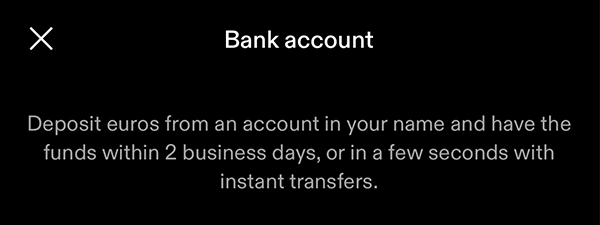
2. Fund (ACH / card / SEPA)

2. Fund (ACH / card / SEPA)

Setup time: ~1 min (card) / ~1 day (wire) / ~5 biz days (ACH)Cost: VariesRisk: Low
  1. Open Account → Payment methods and link your bank via Plaid or add a debit card
  2. Review your deposit limits for ACH, card, or wire before funding
  3. Deposit cash—ACH trades instantly but stays pending ~5 business days before withdrawal

Gotcha: ACH sits in pending ~5 biz days before you can withdraw.

3. Buy & withdraw

3. Buy & withdraw

Setup time: ~1–30 minCost: 0.99%→0.39% + mining (on-chain)Risk: Low
  1. Tap Buy Bitcoin, enter an amount, or set up a recurring purchase to dollar-cost average
  2. Test withdrawal: tap Bitcoin → Send, scan a Lightning invoice or paste a Bitcoin address, and send a small amount (~$5–$10)
  3. Once verified, send the rest—Lightning is instant and free; on-chain offers Priority (~10 min), Standard (~1 hour), or Flexible (~24 hours, free)

Gotcha: Flexible on-chain is free but ~24h; Standard ~1h.

Quick answers

How long does Strike verification take?

Strike verification typically completes within a few minutes, though it can take up to 24 hours during high volume. If your account isn't approved within 24 hours, contact Strike support with your sign-up email.

Can I buy bitcoin on Strike without verification?

No. Strike requires full identity verification before you can deposit funds or buy bitcoin. You must submit a government-issued ID and complete KYC to meet regulatory requirements.

What's the fastest way to buy bitcoin on Strike?

Link a debit card for instant deposits and immediate bitcoin purchases. Card funds are available to withdraw right away, while ACH deposits trade instantly but stay pending about five business days before you can send bitcoin off Strike.

Fees: what you pay and when

Fees: what you pay and when

Deposit cash

Deposit cash

ACH: free
Debit card: ~1.99%
Wire: free (your bank may charge)

What happens:
ACH arrives instantly for trading but stays pending about five business days before you can withdraw, debit card funds are available immediately, and wire deposits usually clear within one business day.

Save money:
Use ACH for fee-free funding, choose wire for large transfers, and monitor Strike Instant eligibility for early access.

Learn more

Deposit limits start at $1,000 per seven days for ACH and can scale to $100,000, while wire and direct deposit limits are unlimited.

Buy bitcoin

Buy bitcoin

0.99% down to 0.39% as monthly volume increases

What happens:
Strike applies the Strike fee tier based on your calendar month buy and sell volume.

Save money:
Batch purchases to advance tiers and enable recurring buys so ongoing orders skip the fee.

Learn more

Fee tier thresholds (monthly volume)

< $2500.99%
$250 - $2,0000.95%
$2,000 - $5,0000.89%
$5,000 - $50,0000.79%
$50,000 - $500,0000.69%
$500,000 - $5,000,0000.59%
$5,000,000 - $15,000,0000.49%
$15,000,000+0.39%
Withdraw bitcoin

Withdraw bitcoin

Lightning: free
On-chain: Priority or Standard fees vary
Flexible tier: free (~24 hr)

What happens:
Lightning withdrawals pay invoices instantly, while on-chain sends let you pick Priority (~10 min), Standard (~1 hour), or Flexible (~24 hours, no fee). Wire cash withdrawals carry a $15 fee with a $50,000 minimum.

Save money:
Keep a Lightning wallet ready, schedule auto-withdrawals for the Flexible tier, and reserve wires for large cash moves.

Learn more

Auto-withdrawals queue for 12 hours before broadcast and settle within 24 hours, and ACH funded bitcoin must reach available balance before leaving Strike.

Quick answers

Does Strike charge network fees on Lightning withdrawals?

Strike covers the Lightning routing cost, so you only pay the invoice amount. On-chain withdrawals still depend on the mining fee tier you pick.

When does my Strike fee tier reset?

Strike resets monthly trading volume at 00:00 UTC on the first day of the new month, placing you back on the highest fee tier until you trade again.

Can I change the speed of an on-chain withdrawal after I send it?

You cannot edit a broadcast once Strike submits it, but you can pick Priority, Standard, or Flexible before confirming, and auto-withdrawals give you a 12 hour cancel window.

Key terms
Strike fee
The percentage Strike charges on bitcoin buys and sells. It ranges from 0.99% to 0.39% based on your monthly volume.
Pending balance
ACH or loan proceeds that you can trade but cannot withdraw until Strike marks them available.
Auto-withdrawal
A rule that queues your entire bitcoin balance to leave Strike once it reaches a threshold you set.
Payment methods & limits

Payment methods & limits

Bank Transfer (ACH / SEPA)

Available
Fee Free
Speed ~2 days
Withdraw After settlement

Best for: Low-cost funding when you can wait ~2 days to withdraw

View limits & details
Min per transaction$10
Max per transaction$100,000
Max per day$100,000
Max per week$100,000
Withdrawal eligibilityAvailable after ~2 business days

Debit Card (incl. Apple Pay / Google Pay)

Available
Fee ~1.99%
Speed Instant
Withdraw Immediately

Best for: Instant purchases with immediate withdrawal access

View limits & details
Min per transaction$10
Max per transaction$1,000
Max per day$1,000
Max per week$7,000
Withdrawal eligibilityImmediate

Wire Transfer

Available
Speed ~1 day
Withdraw $15 + $50k min

Best for: Large deposits with faster settlement than ACH

View limits & details
Min per transactionNo minimum
Max per transactionUnlimited
Max per dayUnlimited
Max per weekUnlimited
Withdrawal eligibilityWithin 1 business day (withdrawals: $50k min, $15 fee)

Lightning Top-up

Not available

Strike does not currently support Lightning deposits to fund your cash balance

Strike features & limits

Strike features & limits

Bill Pay

Works, with caveat

Live on bitcoin Auto-pay from paycheck

Pay bills directly from your Strike balance while maintaining bitcoin exposure. Convert your paycheck to bitcoin via direct deposit, then let Strike handle rent, utilities, and credit cards automatically.

Show steps

Gotcha: Paying bills from your bitcoin balance triggers a taxable event—Strike sells bitcoin to cover each payment. Custodial setup: you still hold counterparty risk while funds sit on Strike.

Bitcoin-backed loans

Works, with caveat

9.5% APR Liquidation risk

Access cash without selling your bitcoin. You retain ownership and future upside while Strike holds your bitcoin as collateral. Be careful with leverage and use a small amount of your own money to cover the loan.

Show steps

Gotcha: If bitcoin's price drops below the liquidation threshold, Strike may sell your collateral to cover the loan. Loan availability and minimums vary by state. You give up self-custody while bitcoin sits as collateral.

Dollar-cost averaging (DCA)

Works

Free after first cycle Daily, weekly, or monthly

Set up recurring purchases to automatically buy bitcoin at regular intervals, building your position over time without timing the market.

Show steps

Gotcha: The first recurring purchase includes the standard Strike fee. All subsequent orders in the same schedule are fee-free.

Auto-withdraw

Works

Free (Flexible tier) 12-hour cancel window

Automatically move your bitcoin to self-custody once your balance reaches a threshold you set, reducing time on exchange.

Show steps

Gotcha: Auto-withdrawals use the free Flexible tier, which can take up to 24 hours to confirm. You can cancel during the 12-hour window before broadcast.

Self-custody: withdraw safely

Self-custody: withdraw safely

Pick a wallet

1. Pick a cold storage wallet

Time: ~5 minCost: $0–$200Risk: Low

Cold storage keeps your bitcoin offline and secure from hackers.

Show steps
  1. Choose a cold storage wallet
  2. Buy and initialize your hardware wallet or install cold storage software
  3. Generate a new seed phrase and write it down on paper
  4. Store your seed phrase in a fireproof safe or safety deposit box

Gotcha: Hardware wallets cost money but provide the highest security. Never store your seed phrase digitally.

Make a safe receive code

2. Create a fresh receive address

Time: ~2 minCost: FreeRisk: Low

Fresh addresses prevent tracking and enhance privacy.

Show steps
  1. Connect your hardware wallet to a companion app or computer
  2. Generate a new receive address in your wallet software
  3. Copy the Bitcoin address (starts with bc1, 1, or 3)
  4. Use this address only once for your Strike withdrawal

Gotcha: Never reuse Bitcoin addresses. Hardware wallets generate fresh addresses automatically for privacy.

Send a tiny test first

3. Send a small test amount

Time: ~5 minCost: Mining fee (~$1–$5)Risk: Low

Test the full withdrawal process before moving larger amounts.

Show steps
  1. In Strike: tap Bitcoin > Send > Bitcoin wallet
  2. Paste your hardware wallet's fresh Bitcoin address
  3. Send $5–$10 worth of bitcoin using Standard tier (~1 hour)
  4. Wait for confirmation then verify in your hardware wallet

Gotcha: Use Standard tier for reliable but cost-effective confirmation. Priority is faster but more expensive.

Move the rest

4. Withdraw the remaining balance

Time: ~10–60 minCost: Mining fees (~$5–$50)Risk: Low

Complete your transition to self-custody with full control.

Show steps
  1. For smaller amounts: use Standard tier (~1 hour, ~$5–$10 fee)
  2. For larger amounts: use Flexible tier (~24 hours, free)
  3. Generate a fresh address for your remaining withdrawal
  4. Send the rest of your balance and store your hardware wallet securely

Gotcha: Flexible tier is free but can take up to 24 hours. Standard tier balances speed and cost effectively.

Quick answers

Why should I use cold storage?

Cold storage keeps your bitcoin offline, protecting it from hackers and online threats. Hardware wallets provide military-grade security for long-term holding.

How do I verify my withdrawal arrived?

Check your hardware wallet's transaction history or use a block explorer like mempool.space. On-chain transactions confirm within 10 minutes to 24 hours depending on your fee tier.

What's the safest way to store my seed phrase?

Memorize your 12-24 word seed phrase or write it on paper or metal. Store copies in separate secure locations like a fireproof safe and safety deposit box. Never store it digitally.

Privacy & Safety

Privacy & Safety

Who can see what when you use Strike

  • Strike retains your legal name, address, phone number, and SSN or national ID to verify the account.
  • Connected banks and cards route through Plaid and card processors that can see your account and routing numbers.
  • Strike records Lightning invoices, on-chain addresses, and order history for compliance and customer support.
  • Support escalations may require you to confirm identity details again before Strike re-enables withdrawals.
Do: Turn on two-factor authentication and review recent login sessions in Account > Security.
Don't: Reuse the same password you use on other services or share your ID documents outside Strike's secure upload flow.

Lost your phone? How Strike recovery works

  • Use the email verification link or code Strike sends to reset your password.
  • If 2FA is enabled, enter your authenticator code or backup code to finish the reset.
  • Contact support with your legal name and ID if you no longer control the registered email.
Do: Store authenticator backup codes offline and keep your email secured with its own 2FA.
Don't: Wait until your account is fully locked before you reach out to Strike support.

Availability & safe installs

  • Strike operates in the United States (except New York) and 95+ other countries.
  • Recurring purchases, Bill Pay, and Strike Instant availability depends on your region.
  • Confirm local limits and payment methods in Account > Limits before funding.

Quick answers

Does Strike support hardware wallet withdrawals?

Yes. You can paste any Bitcoin address from your hardware wallet or trigger an auto-withdrawal to that address.

Can I change my Lightning withdrawal address after triggering auto-withdrawal?

You can edit your address list before the auto-withdrawal broadcasts. Each run gives you a 12 hour cancellation window.

How can I track past withdrawals?

Open Bitcoin > Activity to view completed auto-withdrawals, Lightning sends, and on-chain transactions.

Key terms
Strike Instant
A program that unlocks access to some pending ACH funds before standard settlement when you meet eligibility.
Flexible tier
The free on-chain withdrawal option that targets about 24 hour confirmation.
Threshold
The sat amount that triggers an automatic withdrawal when your balance exceeds it.
Release & Trust

Release & Trust

Licenses & registrations

U.S. MSB coverage

Licenses
Development activity

Realtime uptime

Status
Security & compliance

Security & compliance docs

Trust Center
Privacy policy

Privacy notice October 2025

Privacy notice
Profile

Profile

Founder(s)
Jack Mallers
Jack Mallers
Company description

Strike is a custodial bitcoin app focused on fast buys and cash like payments. The mobile interface puts bank, card, and direct deposit funding beside instant Lightning withdrawals, so you can move fr...

Strike is a custodial bitcoin app focused on fast buys and cash like payments. The mobile interface puts bank, card, and direct deposit funding beside instant Lightning withdrawals, so you can move from fiat to bitcoin and back with minimal steps.

Founded in
2020
Website

FAQs

How do Strike's bitcoin trading fees work?

Strike charges a tiered Strike fee that starts at 0.99% for monthly volume under $250 and steps down to 0.39% once you trade more than $15,000,000. Recurring purchases skip the fee after the first cycle for hourly or daily schedules and after the second run for weekly or monthly schedules.

When are ACH deposits available to withdraw?

ACH deposits post instantly for trading but sit in your pending balance until the transfer settles, which typically takes about five business days plus any extra hold Strike applies based on your history. Once the deposit moves to available balance you can send, spend, or withdraw it.

Are Lightning withdrawals free?

Yes. Lightning withdrawals from your available bitcoin balance have no Strike fee and settle instantly once your ACH or card deposit has cleared.

How do bitcoin auto-withdrawals work?

You can set a threshold between 1,000,000 and 500,000,000 sats along with one or more payout addresses. When your available balance crosses the threshold Strike queues the full amount, gives you a 12 hour window to cancel, then broadcasts within 24 hours using the fee-free Flexible tier.

Where is Strike available today?

Strike is available across the United States except New York, Puerto Rico, and in more than 95 other countries. Availability and payment methods vary, so confirm support in your local App Store or on the Strike website.

×

Rate this service

Alternatives to Strike